> ## Documentation Index
> Fetch the complete documentation index at: https://docs.spline.design/llms.txt
> Use this file to discover all available pages before exploring further.
# Spline Mirror for visionOS
Exporting for Apple Platforms like visionOS and iOS is currently in **BETA** and under development.
Spline Mirror for visionOS allows you to experience your 3D content made in Spline spatially on the Apple Vision Pro — a complementary step to your workflow of exporting 3D designs for Apple Platforms like visionOS and iOS.
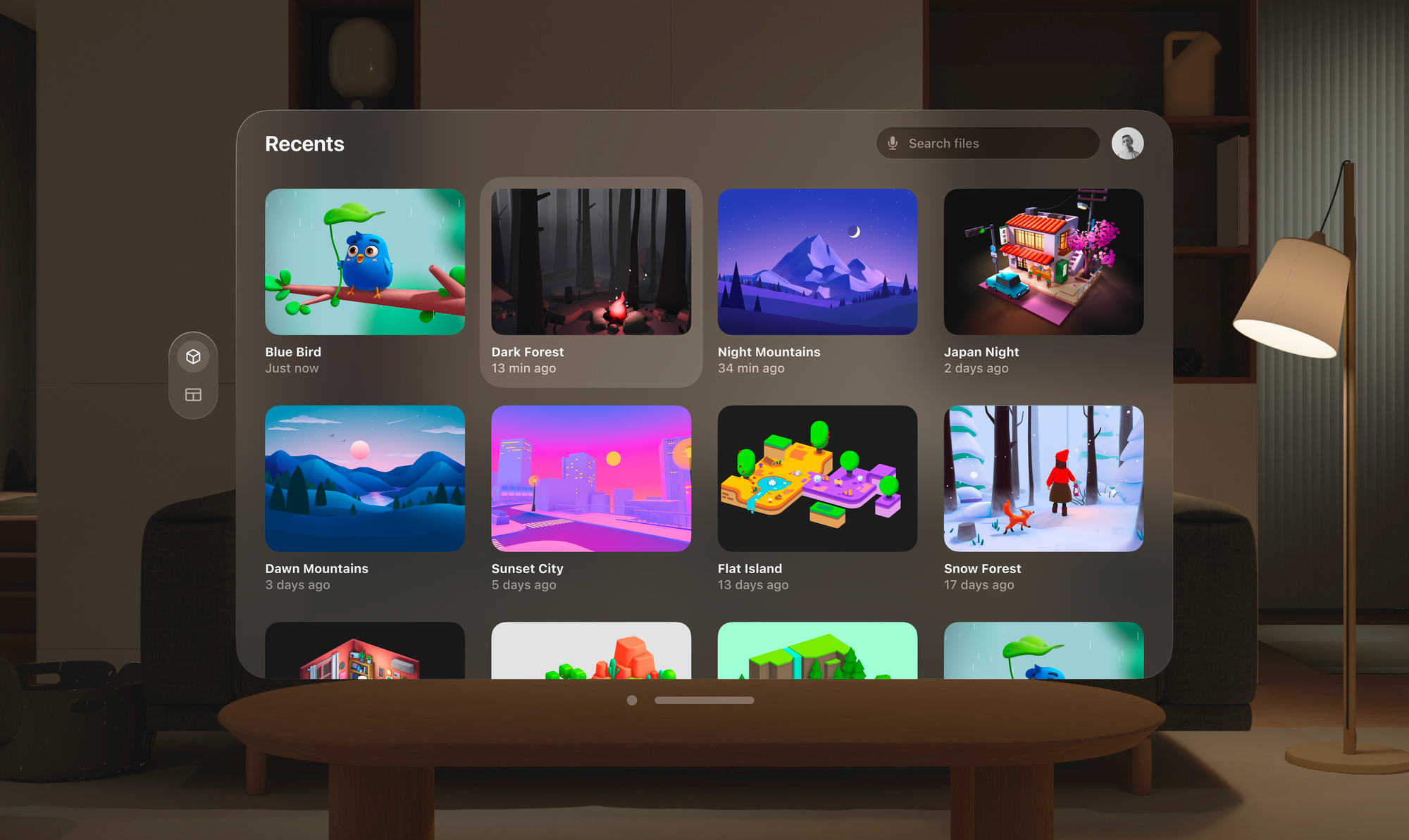 ## Spatial Design with Spline
During the design process, you can experience your 3D content on the device to validate your 3D models, materials, animations, and interactions.
Once your scene is ready, you can integrate it into your Xcode projects with a Swift code snippet or with App Generation.
Learn more about [Native 3D Embeds for iOS](/exporting-your-scene/apple-platform/native-3d-embeds-for-i-os) and [iOS App Generation](/exporting-your-scene/apple-platform/i-os-app-generation).
## Download Spline Mirror for visionOS
Download the latest version of Spline Mirror for visionOS from the Apple App Store.
[→ ](https://apps.apple.com/us/app/spline-mirror/id6477194143)[Download on the App Store](https://apps.apple.com/us/app/spline-mirror/id6477194143)
### Required Specifications
Spline is using the latest technologies to render 3D content on Apple devices.
| Device | Minimum Required OS | Minimum Required Chip |
| ---------- | --------------------- | --------------------- |
| Vision Pro | visionOS 1.0 or later | M2 |
## Getting started with Spline Mirror for visionOS
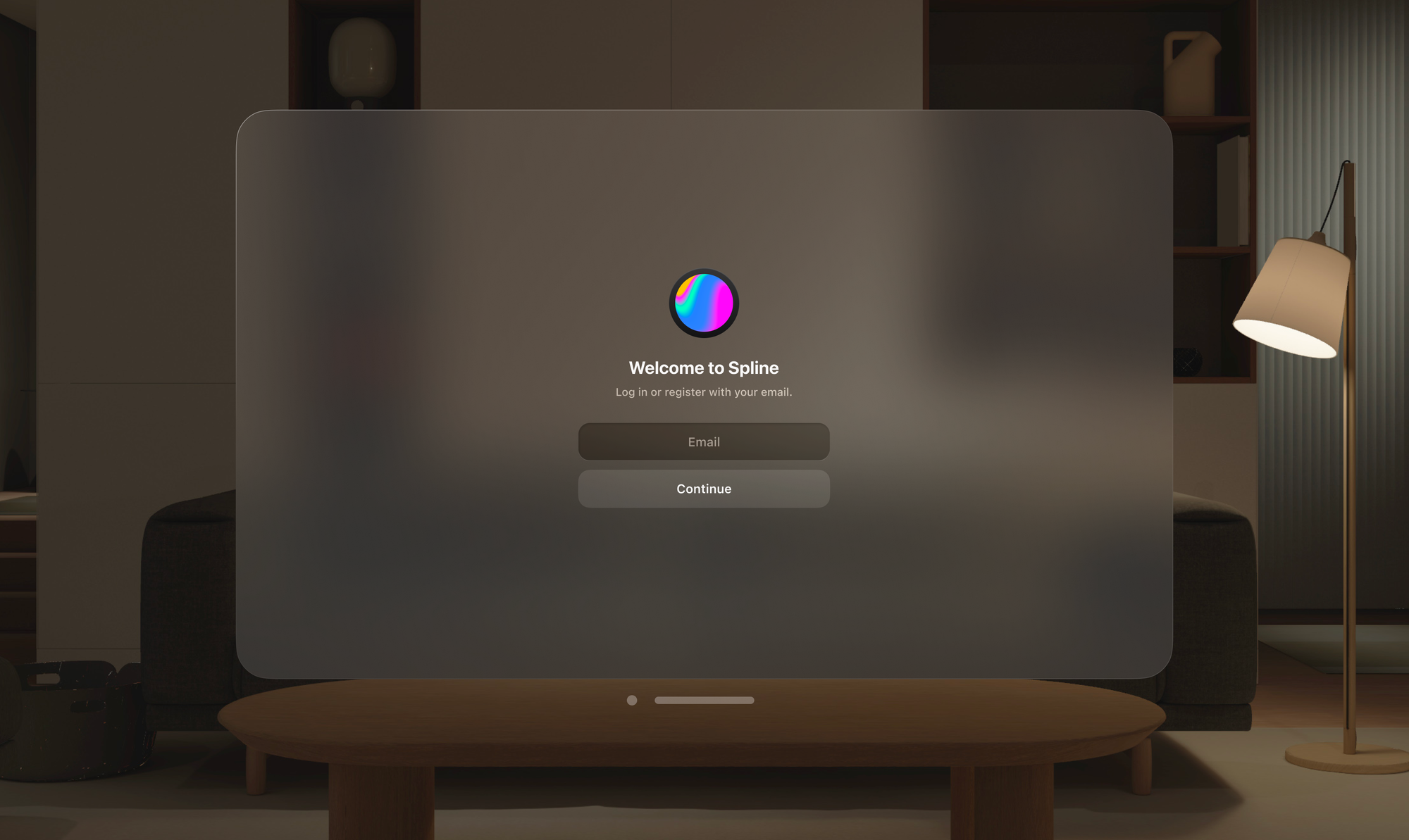
### 1. Log in or Sign up to Spline
To get started, you need to log in to your Spline account. If it’s your first time trying Spline, you can sign up from the Vision Pro, but you’ll need to access the Spline Editor to edit or create new scenes.
## Spatial Design with Spline
During the design process, you can experience your 3D content on the device to validate your 3D models, materials, animations, and interactions.
Once your scene is ready, you can integrate it into your Xcode projects with a Swift code snippet or with App Generation.
Learn more about [Native 3D Embeds for iOS](/exporting-your-scene/apple-platform/native-3d-embeds-for-i-os) and [iOS App Generation](/exporting-your-scene/apple-platform/i-os-app-generation).
## Download Spline Mirror for visionOS
Download the latest version of Spline Mirror for visionOS from the Apple App Store.
[→ ](https://apps.apple.com/us/app/spline-mirror/id6477194143)[Download on the App Store](https://apps.apple.com/us/app/spline-mirror/id6477194143)
### Required Specifications
Spline is using the latest technologies to render 3D content on Apple devices.
| Device | Minimum Required OS | Minimum Required Chip |
| ---------- | --------------------- | --------------------- |
| Vision Pro | visionOS 1.0 or later | M2 |
## Getting started with Spline Mirror for visionOS
### 1. Log in or Sign up to Spline
To get started, you need to log in to your Spline account. If it’s your first time trying Spline, you can sign up from the Vision Pro, but you’ll need to access the Spline Editor to edit or create new scenes.
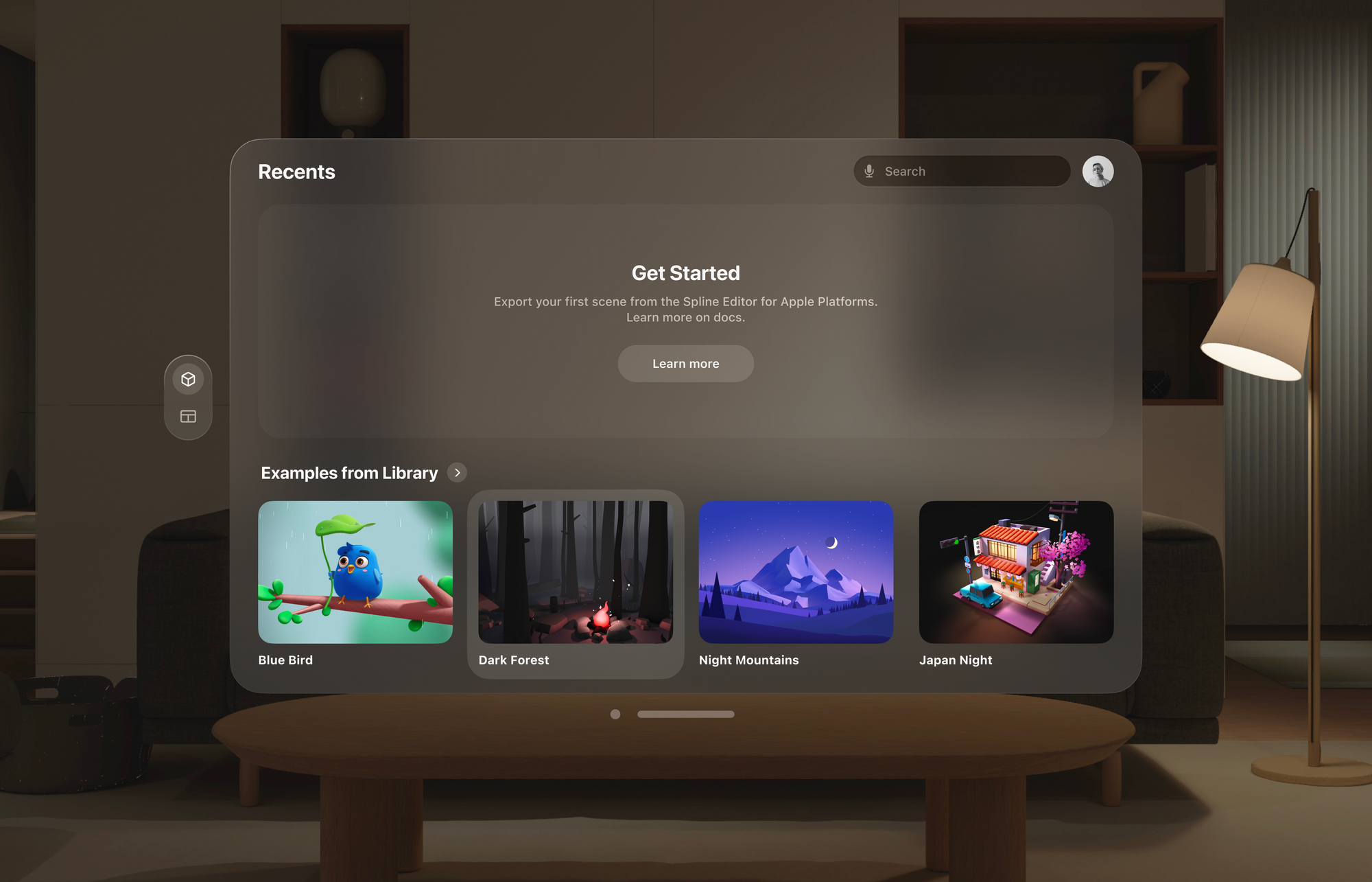
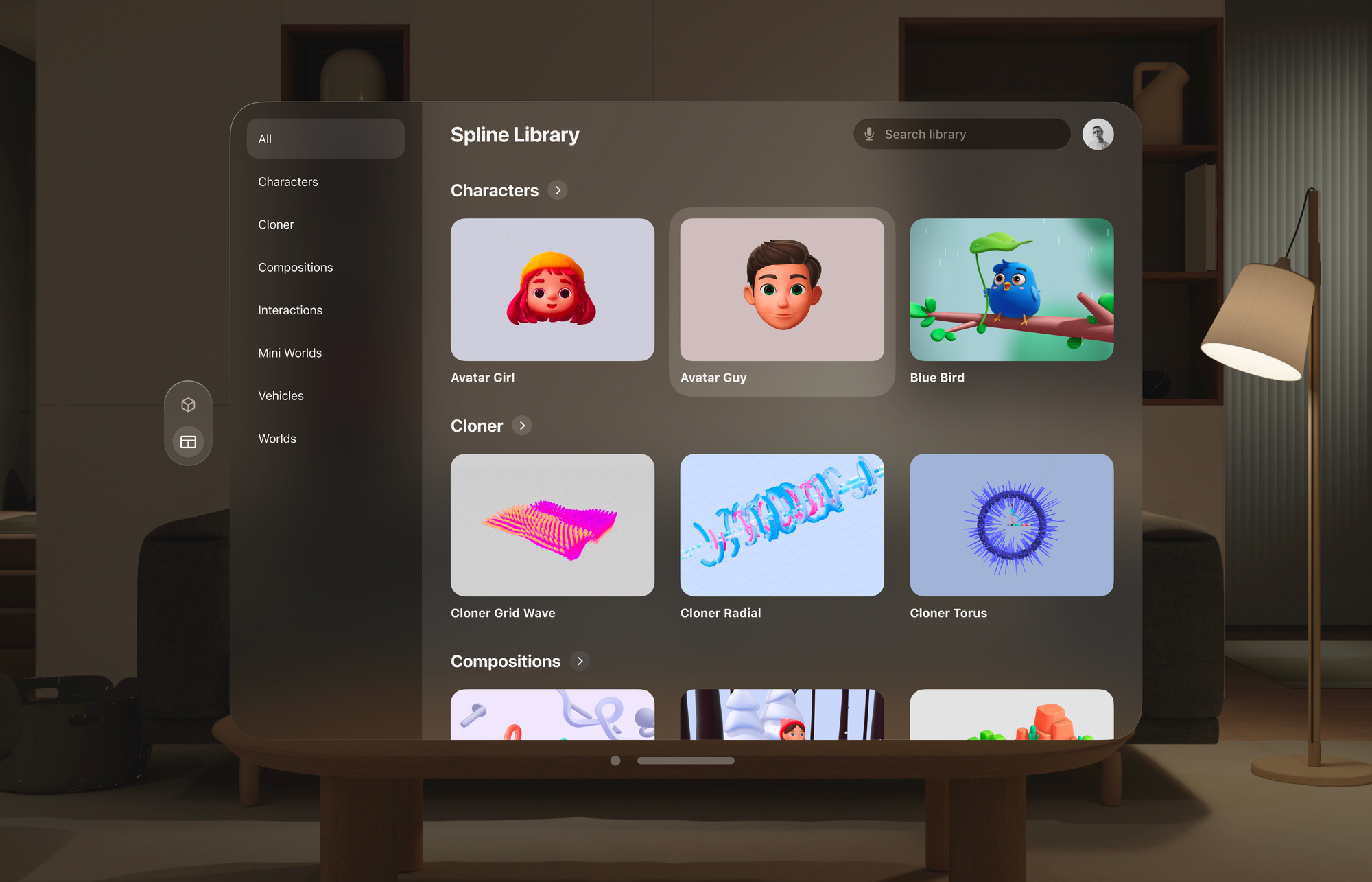
 ### 2. Browse scenes from the Spline Library
If you haven’t exported any scenes for Apple Platforms, you can always open and experience examples from the Spline Library or visit the `Library` tab.
### 2. Browse scenes from the Spline Library
If you haven’t exported any scenes for Apple Platforms, you can always open and experience examples from the Spline Library or visit the `Library` tab.
 ### 3. How to export for Apple Platforms and visionOS
If it’s your first time using Spline Mirror for visionOS or exporting for Apple Platforms, you won’t see any scenes on the `Recents` tab. You’ll need to use the Spline Editor on a desktop to create and export your scenes.
Embeds support for Volumes and Immersion mode is coming soon. You can use Spline Mirror to see how it works now.
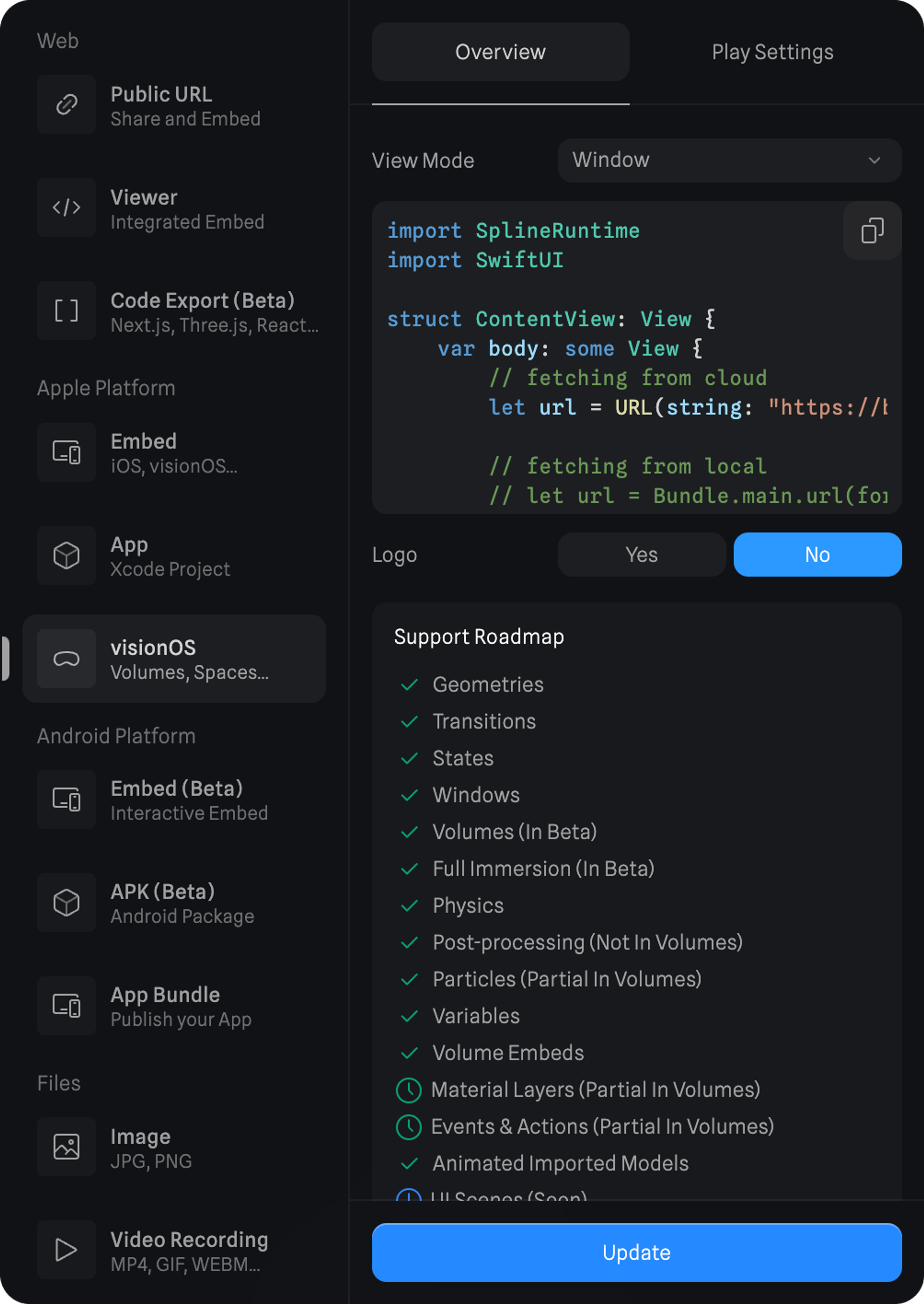
To export your scene for Spline Mirror for visionOS from the Spline Editor, follow the steps below.
1. From the top toolbar, press the `Export` button to open the export panel;
2. Under Apple Platforms, select the `visionOS` option.
3. Select a View Mode. (Window, Volume, or Immersive)
4. Choose to show or hide the logo.
5. Press the `Update` button at the bottom.
### 3. How to export for Apple Platforms and visionOS
If it’s your first time using Spline Mirror for visionOS or exporting for Apple Platforms, you won’t see any scenes on the `Recents` tab. You’ll need to use the Spline Editor on a desktop to create and export your scenes.
Embeds support for Volumes and Immersion mode is coming soon. You can use Spline Mirror to see how it works now.
To export your scene for Spline Mirror for visionOS from the Spline Editor, follow the steps below.
1. From the top toolbar, press the `Export` button to open the export panel;
2. Under Apple Platforms, select the `visionOS` option.
3. Select a View Mode. (Window, Volume, or Immersive)
4. Choose to show or hide the logo.
5. Press the `Update` button at the bottom.
 ### 4. Browse your exported scenes
After exporting your scene from the Spline Editor for Apple Platforms and visionOS, the `Recents` tab is where you can find them.
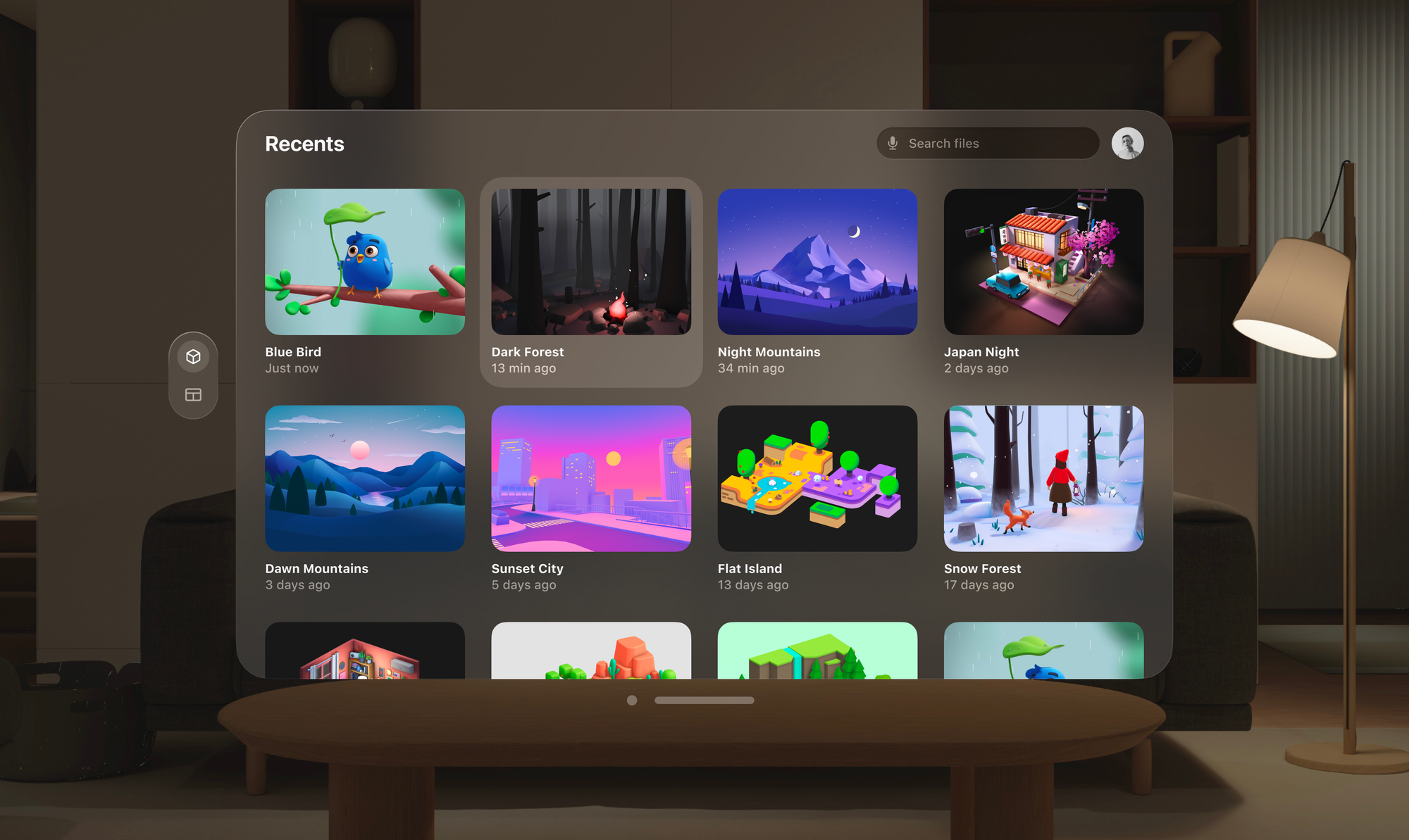
*Note: Currently, only scenes from ‘My Files’ are visible on your Recents tab.*
### 5. Open and experience a 3D Scene
To experience a scene from your `Recents` tab or from the `Library` tab, you can simply press it.
When opening a scene on the Apple Vision Pro, you can experience it in 3 different spatial content types: `Windows`, `Volumes`, and `Spaces`.
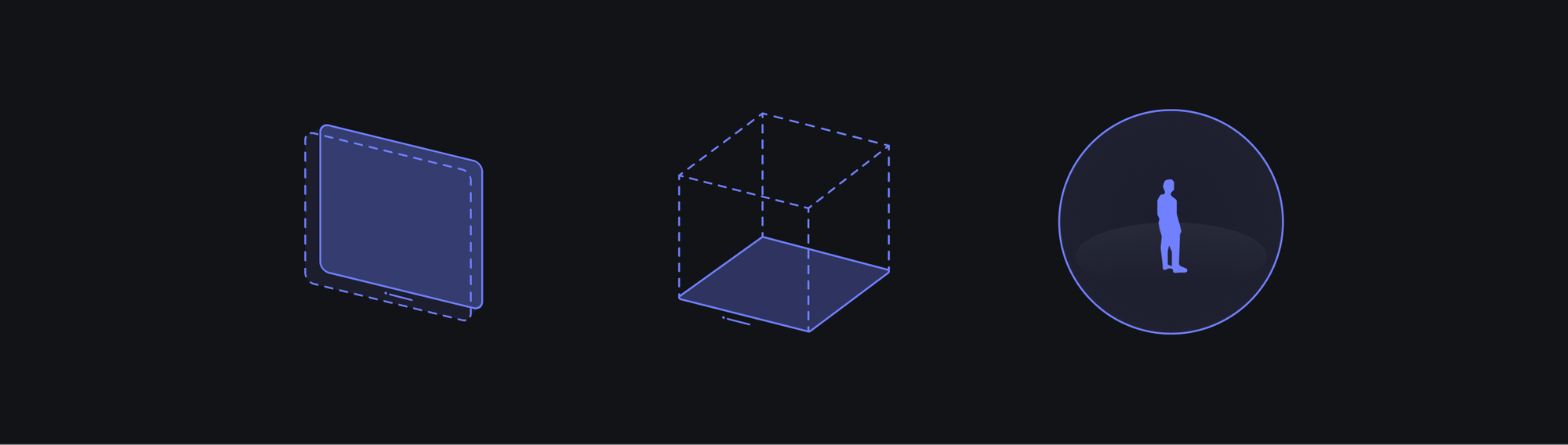
*A visual representation of Windows, Volumes, and Spaces, in that order.*
A visual representation of `Windows`, `Volumes`, and `Spaces`, in that order.
By default, your scene will open as a `Window`, but from the toolbar below, you can open your scene as a `Volume` or in immersive mode as a `Space`.
### 4. Browse your exported scenes
After exporting your scene from the Spline Editor for Apple Platforms and visionOS, the `Recents` tab is where you can find them.

*Note: Currently, only scenes from ‘My Files’ are visible on your Recents tab.*
### 5. Open and experience a 3D Scene
To experience a scene from your `Recents` tab or from the `Library` tab, you can simply press it.
When opening a scene on the Apple Vision Pro, you can experience it in 3 different spatial content types: `Windows`, `Volumes`, and `Spaces`.

*A visual representation of Windows, Volumes, and Spaces, in that order.*
A visual representation of `Windows`, `Volumes`, and `Spaces`, in that order.
By default, your scene will open as a `Window`, but from the toolbar below, you can open your scene as a `Volume` or in immersive mode as a `Space`.
 #### Windows
`Windows` can display content on a flat surface and use 2D and 3D content.
You can use Spline Apple embeds on `Windows` the way you use them for your normal apps in iOS/iPadOS.
The Spline scenes in a `Window` can be complemented with native UI using SwiftUI.
#### Windows
`Windows` can display content on a flat surface and use 2D and 3D content.
You can use Spline Apple embeds on `Windows` the way you use them for your normal apps in iOS/iPadOS.
The Spline scenes in a `Window` can be complemented with native UI using SwiftUI.
 #### Volumes
`Volumes` are 3D containers that can be rendered in your space alongside `Windows`.
They exist within a bounding box whose size can be customized to fit your needs. You can deploy multiple `Volumes` within a `Space`, which can coexist with `Windows` or even be anchored to them.
#### Volumes
`Volumes` are 3D containers that can be rendered in your space alongside `Windows`.
They exist within a bounding box whose size can be customized to fit your needs. You can deploy multiple `Volumes` within a `Space`, which can coexist with `Windows` or even be anchored to them.
 #### Spaces
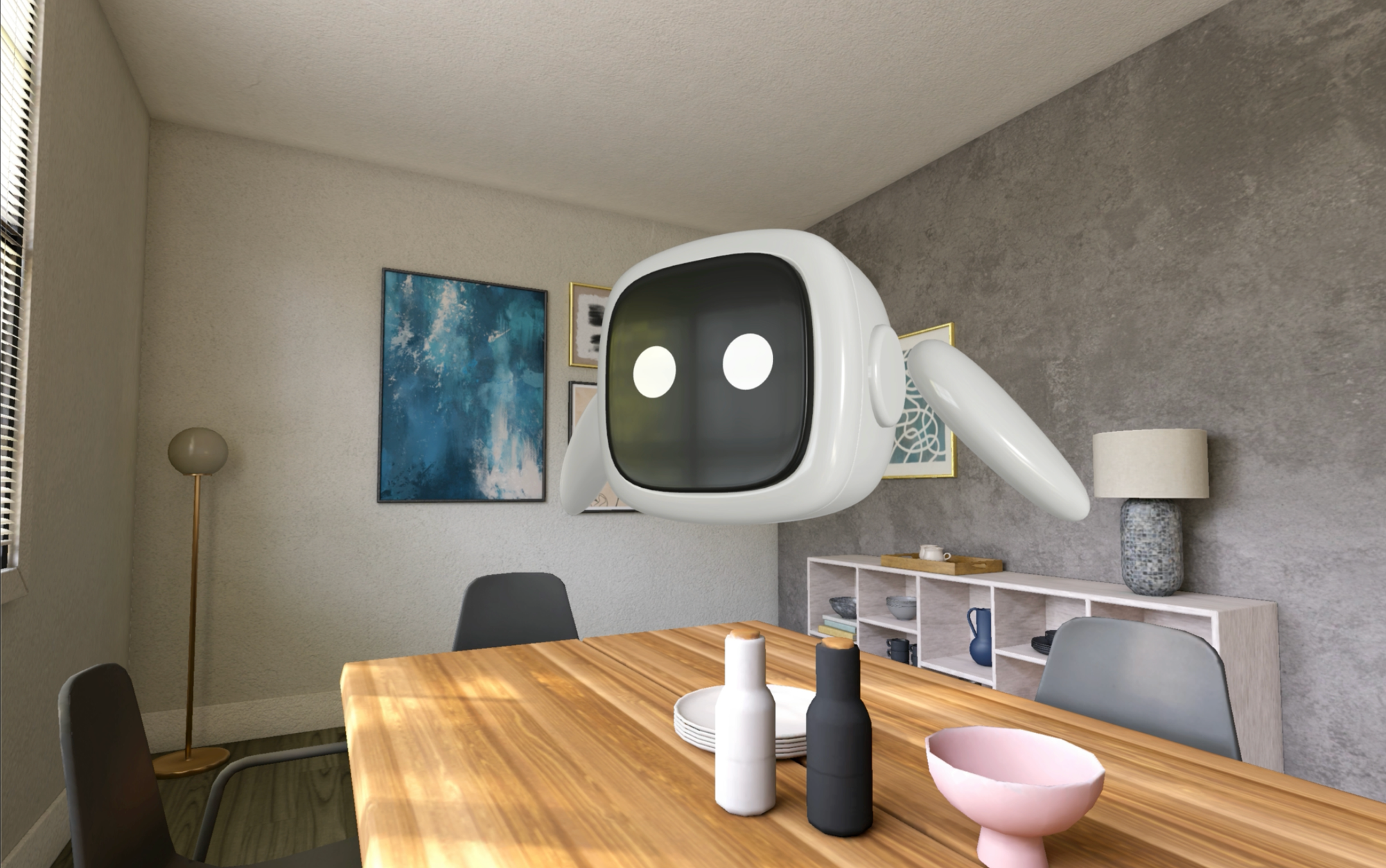
For an immersive experience, apps can occupy the full `Space`, where the app's content expands around you.
Within a `Space`, applications can leverage `Windows`, `Volumes`, and even unbounded 3D content to create truly unique 3D experiences.
#### Spaces
For an immersive experience, apps can occupy the full `Space`, where the app's content expands around you.
Within a `Space`, applications can leverage `Windows`, `Volumes`, and even unbounded 3D content to create truly unique 3D experiences.
 For more information about the differences between all the spatial content types and other relevant design guidelines, refer to Apple’s documentation on [Designing for visionOS](https://developer.apple.com/design/human-interface-guidelines/designing-for-visionos).
## Feature Support Roadmap
Full coverage of all Spline features for Metal Renderer is expected to be ready in April-May 2024. Here is a list of each feature's current status. This list will be updated weekly until everything is fully supported.
| Feature | Status | Notes |
| --------------------- | ------ | --------------------------------------------------------------------------------------------------------------------------------------- |
| Parametric Shapes | ✅ | |
| Non-Parametric Shapes | ✅ ⏰ | 3D Paths, Lathe, and Subdiv Meshes are baked (Temporarily) - **Full support is coming soon** |
| Materials | ✅ | Note 1: Some settings in the Outline layer are not supported (yet). Note 2: Some material layers are not supported in VisionOS Volumes. |
| Physics | ✅ | |
| Game Controls | ✅ | |
| Gaussian Splatting | ✅ | Note: Volumes in VisionOS don’t support Gaussian Splatting at the moment. |
| Variables | ✅ | |
| Events & States | ✅ | |
| Animated Models | ✅ | |
| Multi Scenes | ✅ | |
| UI Scenes | 🚧 | |
***
## Integrate your production-ready 3D content into your Xcode Projects
Export your 3D content for Apple Platforms like iOS and visionOS by using native embeds with a Swift code snippet.
[Native 3D Embeds for iOS](/exporting-your-scene/apple-platform/native-3d-embeds-for-i-os)
Export your 3D content for Apple Platforms like iOS and visionOS by generating a pre-built Xcode project directly from Spline.
[iOS App Generation](/exporting-your-scene/apple-platform/i-os-app-generation)
For more information about the differences between all the spatial content types and other relevant design guidelines, refer to Apple’s documentation on [Designing for visionOS](https://developer.apple.com/design/human-interface-guidelines/designing-for-visionos).
## Feature Support Roadmap
Full coverage of all Spline features for Metal Renderer is expected to be ready in April-May 2024. Here is a list of each feature's current status. This list will be updated weekly until everything is fully supported.
| Feature | Status | Notes |
| --------------------- | ------ | --------------------------------------------------------------------------------------------------------------------------------------- |
| Parametric Shapes | ✅ | |
| Non-Parametric Shapes | ✅ ⏰ | 3D Paths, Lathe, and Subdiv Meshes are baked (Temporarily) - **Full support is coming soon** |
| Materials | ✅ | Note 1: Some settings in the Outline layer are not supported (yet). Note 2: Some material layers are not supported in VisionOS Volumes. |
| Physics | ✅ | |
| Game Controls | ✅ | |
| Gaussian Splatting | ✅ | Note: Volumes in VisionOS don’t support Gaussian Splatting at the moment. |
| Variables | ✅ | |
| Events & States | ✅ | |
| Animated Models | ✅ | |
| Multi Scenes | ✅ | |
| UI Scenes | 🚧 | |
***
## Integrate your production-ready 3D content into your Xcode Projects
Export your 3D content for Apple Platforms like iOS and visionOS by using native embeds with a Swift code snippet.
[Native 3D Embeds for iOS](/exporting-your-scene/apple-platform/native-3d-embeds-for-i-os)
Export your 3D content for Apple Platforms like iOS and visionOS by generating a pre-built Xcode project directly from Spline.
[iOS App Generation](/exporting-your-scene/apple-platform/i-os-app-generation)