> ## Documentation Index
> Fetch the complete documentation index at: https://docs.spline.design/llms.txt
> Use this file to discover all available pages before exploring further.
# Exporting as STL (3D Printing)
STL is a 3D format commonly used for 3D printing or CAD.
Exporting STL format is a paid feature, you’ll need to have an active **Professional** or **Team** subscription to use it.
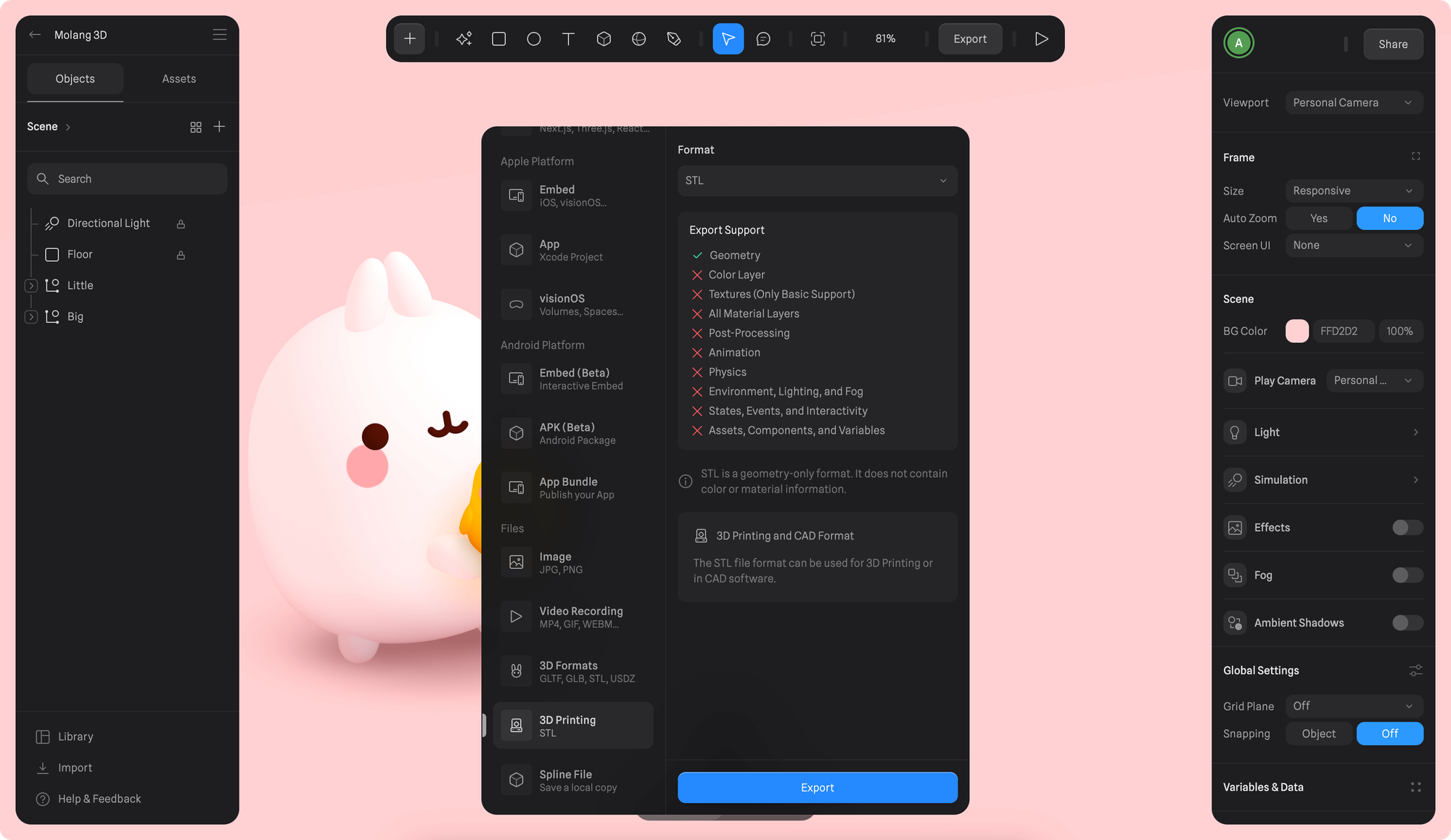 1. Once you're happy with your scene, press the Export button on the toolbar.
2. Scroll down to select "3D Printing" under *Files* section from the export sidebar.
3. Press Export to save the scene as STL file.
You can later import the resulting STL file into a 3D printing app to 3D print your model.
STL is a geometry-only format. It does not contain color or material information. The STL file format can be used for 3D Printing or in CAD software.
#### ✅ Supported features
* Geometry
#### ❌ Not supported features
* Color Layer
* Textures (Only Basic Support)
* All Material Layers
* Post-Processing
* Animation
* Physics
* Environment, Lighting, and Fog
* States, Events, and Interactivity
* Assets, Components, and Variables
1. Once you're happy with your scene, press the Export button on the toolbar.
2. Scroll down to select "3D Printing" under *Files* section from the export sidebar.
3. Press Export to save the scene as STL file.
You can later import the resulting STL file into a 3D printing app to 3D print your model.
STL is a geometry-only format. It does not contain color or material information. The STL file format can be used for 3D Printing or in CAD software.
#### ✅ Supported features
* Geometry
#### ❌ Not supported features
* Color Layer
* Textures (Only Basic Support)
* All Material Layers
* Post-Processing
* Animation
* Physics
* Environment, Lighting, and Fog
* States, Events, and Interactivity
* Assets, Components, and Variables