> ## Documentation Index
> Fetch the complete documentation index at: https://docs.spline.design/llms.txt
> Use this file to discover all available pages before exploring further.
# Exporting as USDZ
USDZ is an open-source file format for 3D models, initially started by Pixar in collaboration with Apple. It is supported by default in Apple platforms.
Exporting USDZ format is a paid feature, you’ll need to have an active **Professional** or **Team** subscription to use it.
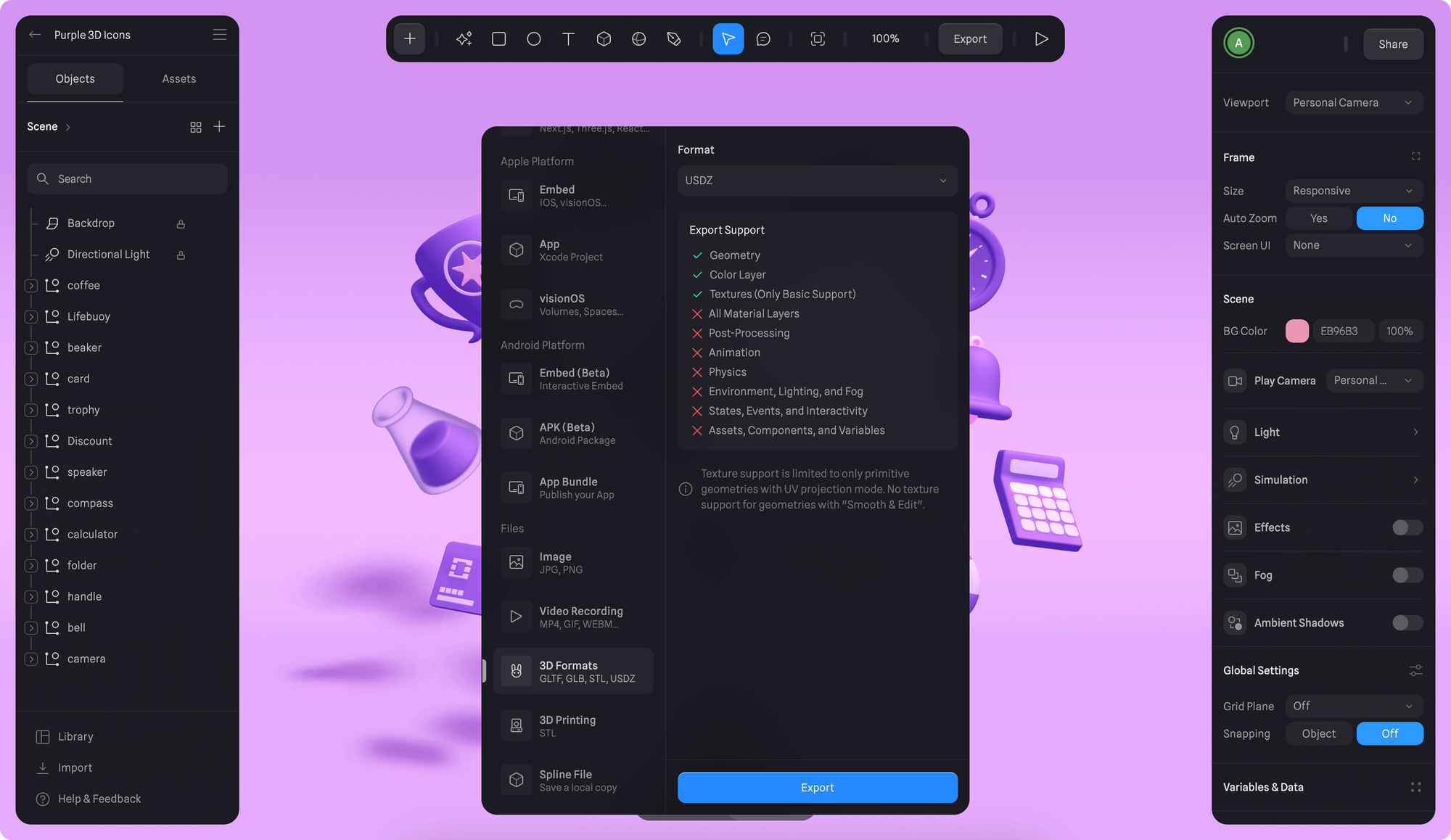 1. Once you're happy with your scene, press the Export button on the toolbar.
2. Scroll down to select "3D Formats" under *Files* section from the export sidebar.
3. Choose “USDZ” from the *Format* dropdown and click Export.
Some material layers are not fully supported by the USDZ format. Texture support is limited to only primitive geometries with UV projection mode. No texture support for geometries with “Smooth & Edit”.
#### ✅ Supported features
* Geometry
* Color Layer
* Textures (Only Basic Support)
#### ❌ Not supported features
* All Material Layers
* Post-Processing
* Animation
* Physics
* Environment, Lighting, and Fog
* States, Events, and Interactivity
* Assets, Components, and Variables
### AR with Apple (iOS) with Spline
Open the USDZ file on your iPhone or iPad to see it in Augmented Reality.
1. Once you're happy with your scene, press the Export button on the toolbar.
2. Scroll down to select "3D Formats" under *Files* section from the export sidebar.
3. Choose “USDZ” from the *Format* dropdown and click Export.
Some material layers are not fully supported by the USDZ format. Texture support is limited to only primitive geometries with UV projection mode. No texture support for geometries with “Smooth & Edit”.
#### ✅ Supported features
* Geometry
* Color Layer
* Textures (Only Basic Support)
#### ❌ Not supported features
* All Material Layers
* Post-Processing
* Animation
* Physics
* Environment, Lighting, and Fog
* States, Events, and Interactivity
* Assets, Components, and Variables
### AR with Apple (iOS) with Spline
Open the USDZ file on your iPhone or iPad to see it in Augmented Reality.