> ## Documentation Index
> Fetch the complete documentation index at: https://docs.spline.design/llms.txt
> Use this file to discover all available pages before exploring further.
# Exporting as Self-Hosted Project
The **Self-Hosted** export option in Spline allows you to export your entire project, including all assets and the Spline runtime, as a fully self-contained ZIP file.
This is ideal for scenarios where you want full control over hosting, and do not wish to rely on external servers or CDN requests.
Self-hosted export is available on the Enterprise plan. [Contact Sales
➔](https://spline.design/enterprise)
### Key Features
* **Fully Offline**: No need for internet access after deployment.
* **Includes Spline Runtime**: Everything needed to render your scene is bundled.
* **Custom Hosting**: Deploy on your own server or preferred hosting service.
### How to use
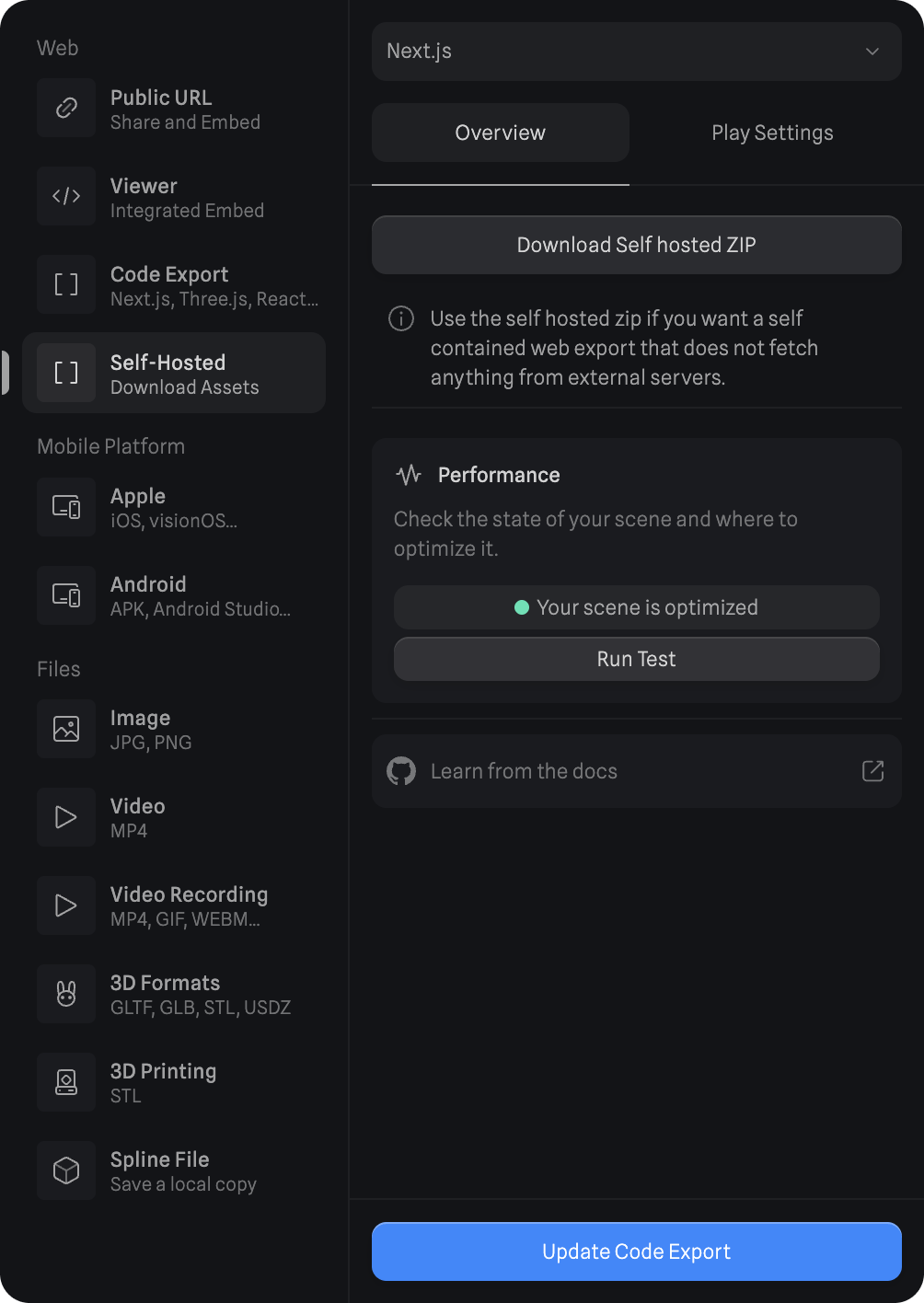
1. In the top toolbar, click the **Export** button.
2. Under the **Web** section, select **Self-Hosted**.
3. Choose your preferred code format: **Vanilla JS**, **React**, or **Next.js**.
4. Click **Download Self hosted ZIP**.
5. Unzip the downloaded file.
6. Upload the contents to your hosting server.
For **React** and **Next.js**: Integrate the export into your existing project and run npm install
to ensure all dependencies are available. Learn more below in the *Export Modes* section.
 ### Export Modes
#### - Vanilla JavaScript
* Exports a ready-to-use HTML + JS bundle
* No extra setup needed — just unzip and upload to your server
* Easiest way to deploy standalone scenes
#### - React / Next.js
* Not prebuilt: designed to be used inside a larger React or Next.js project
* Requires npm install to fetch dependencies (like @splinetool/react-spline)
* All WASM and runtime assets are loaded locally via node\_modules or the public/ directory
* Ideal for developers who want to self-host but still benefit from React/Next integration and tooling
**Note:** The React/Next.js self-hosted bundles are made for self-hosting but assume you’ll
integrate them into a build process — they are not plug-and-play like the Vanilla JS export.
### Summary
* Use **Vanilla JS** if you want a zero-config, upload-and-go experience.
* Use **React/Next.js** if you’re integrating Spline into a full frontend project with your own hosting and build pipeline.
That’s it — your Spline scene will now run independently, without fetching any external dependencies.
### Export Modes
#### - Vanilla JavaScript
* Exports a ready-to-use HTML + JS bundle
* No extra setup needed — just unzip and upload to your server
* Easiest way to deploy standalone scenes
#### - React / Next.js
* Not prebuilt: designed to be used inside a larger React or Next.js project
* Requires npm install to fetch dependencies (like @splinetool/react-spline)
* All WASM and runtime assets are loaded locally via node\_modules or the public/ directory
* Ideal for developers who want to self-host but still benefit from React/Next integration and tooling
**Note:** The React/Next.js self-hosted bundles are made for self-hosting but assume you’ll
integrate them into a build process — they are not plug-and-play like the Vanilla JS export.
### Summary
* Use **Vanilla JS** if you want a zero-config, upload-and-go experience.
* Use **React/Next.js** if you’re integrating Spline into a full frontend project with your own hosting and build pipeline.
That’s it — your Spline scene will now run independently, without fetching any external dependencies.