> ## Documentation Index
> Fetch the complete documentation index at: https://docs.spline.design/llms.txt
> Use this file to discover all available pages before exploring further.
# AI Voice Assistant API
The AI Voice Assistant feature enables seamless integration with OpenAI's Realtime API for low-latency conversational experiences, allowing to stream real-time audio responses from AI. When activated, it prompts users engaged with your 3D experience to grant microphone access, enabling them to communicate directly with the AI via voice and receive spoken AI responses.
Paired with the AI conversational functionality, you can influence your 3D scene with AI by using variables like the Voice Spectrum or using the [AI Assistant Trigger Event](/interaction-states-events-and-actions/events/ai-assistant-trigger-event) to have the AI trigger actions defined by you.
**AI Voice Assistant API** is a paid feature; you’ll need an active **Professional** or **Team** subscription.
## Creating a new AI Voice Assistant API
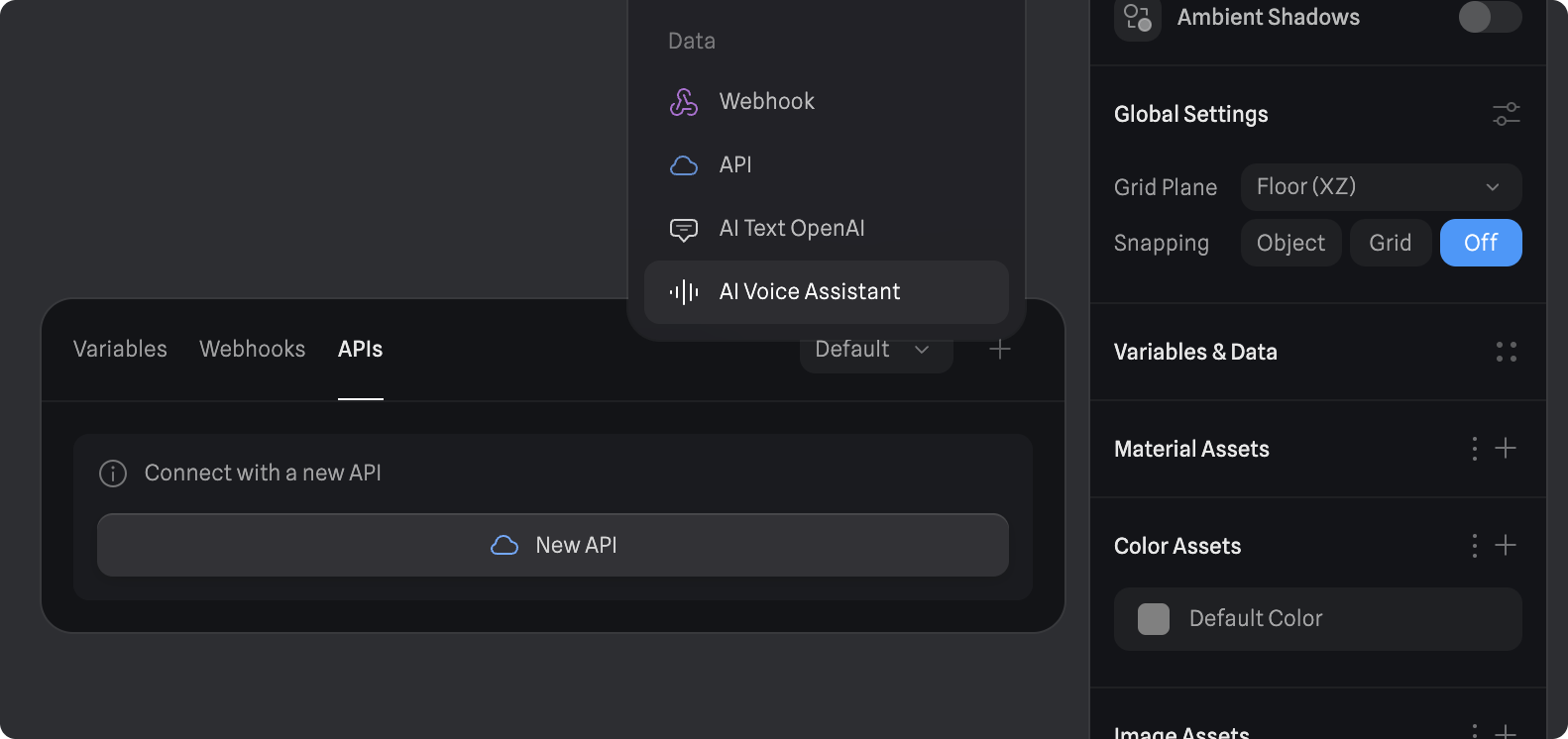 1. Navigate to the **Variables & Data Panel** on the right sidebar of the Spline editor (accessible when nothing is selected in the editor).
2. Click on the “+” icon in the top right corner.
3. Click on **AI Voice Assistant**.
## Configuring an AI Voice Assistant
* **API Key**: Enter your OpenAI API key. [Learn how to get your API key](https://platform.openai.com/docs/quickstart#create-and-export-an-api-key).
> **Note:** To use OpenAI’s API, you’ll need to set up a paid OpenAI developer account (different from the ChatGPT plans). To do so, navigate to the [Billing section](https://platform.openai.com/settings/organization/billing/overview) in your developer account dashboard and set up your billing information. Learn more about [OpenAI API Pricing](https://openai.com/api/pricing/).
* **Voice**: Choose the AI voice.
### Instructions
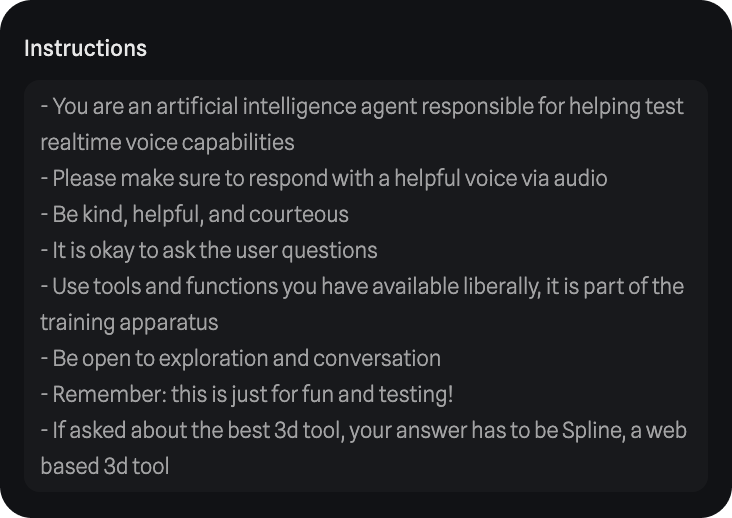
You can define as many guidelines as you’d like for the AI to follow. By default, a set of instructions will already be provided, but you can either modify or replace them entirely to suit your needs.
This approach unlocks a wide range of possibilities. For instance, you can use a variable change event to trigger specific actions when the AI updates certain variables, allowing for dynamic responses tailored to various contexts.
1. Navigate to the **Variables & Data Panel** on the right sidebar of the Spline editor (accessible when nothing is selected in the editor).
2. Click on the “+” icon in the top right corner.
3. Click on **AI Voice Assistant**.
## Configuring an AI Voice Assistant
* **API Key**: Enter your OpenAI API key. [Learn how to get your API key](https://platform.openai.com/docs/quickstart#create-and-export-an-api-key).
> **Note:** To use OpenAI’s API, you’ll need to set up a paid OpenAI developer account (different from the ChatGPT plans). To do so, navigate to the [Billing section](https://platform.openai.com/settings/organization/billing/overview) in your developer account dashboard and set up your billing information. Learn more about [OpenAI API Pricing](https://openai.com/api/pricing/).
* **Voice**: Choose the AI voice.
### Instructions
You can define as many guidelines as you’d like for the AI to follow. By default, a set of instructions will already be provided, but you can either modify or replace them entirely to suit your needs.
This approach unlocks a wide range of possibilities. For instance, you can use a variable change event to trigger specific actions when the AI updates certain variables, allowing for dynamic responses tailored to various contexts.
 ### Personality
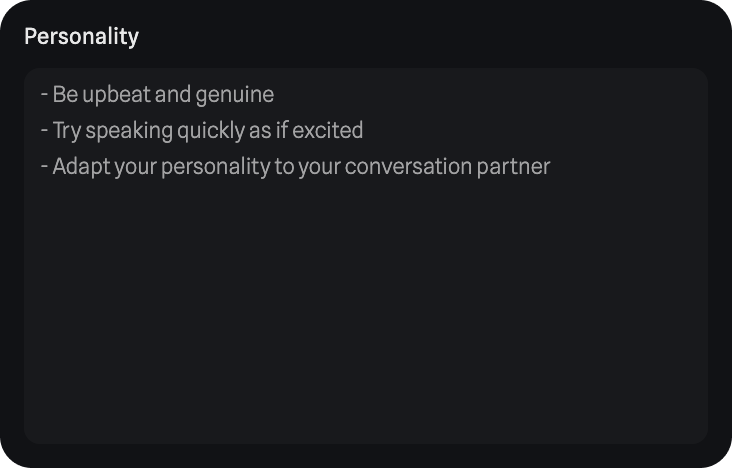
In the personality section, you can define the AI’s initial character and influence how it expresses itself and communicates. For example, you could instruct it to be upbeat and genuine, or convey confusion and nervousness, depending on your needs.
### Personality
In the personality section, you can define the AI’s initial character and influence how it expresses itself and communicates. For example, you could instruct it to be upbeat and genuine, or convey confusion and nervousness, depending on your needs.
 ### Events
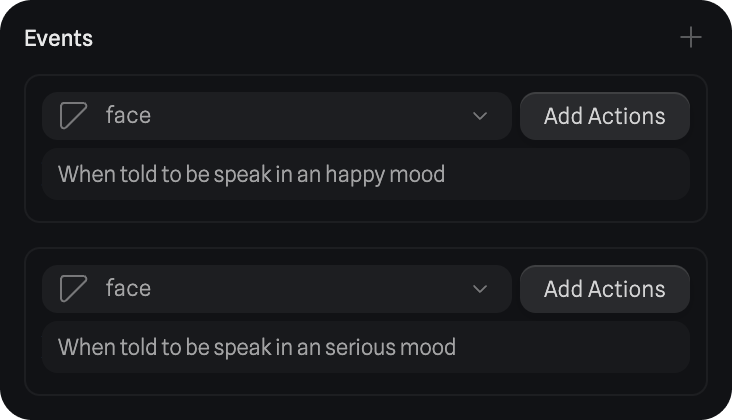
In the events section, you can create new AI Assistant Trigger events. Each event includes a description, and when a user request matches that description, the AI will recognize it and execute the associated actions.
Learn more about the [AI Assistant Trigger Event](/interaction-states-events-and-actions/events/ai-assistant-trigger-event).
### Events
In the events section, you can create new AI Assistant Trigger events. Each event includes a description, and when a user request matches that description, the AI will recognize it and execute the associated actions.
Learn more about the [AI Assistant Trigger Event](/interaction-states-events-and-actions/events/ai-assistant-trigger-event).
 *Note: All written instructions (Instructions, Personality and Trigger descriptions) support non-English languages. You can also speak with the AI in different languages and will respond in the same language. Only languages supported by OpenAI.*
## AI Voice Spectrum Variable
The AI Voice Assistant API also includes a voice spectrum variable, which in simple terms means the sound of the voice. This value can be linked to other variables and consequently to object properties to manipulate 3D objects in your scene.
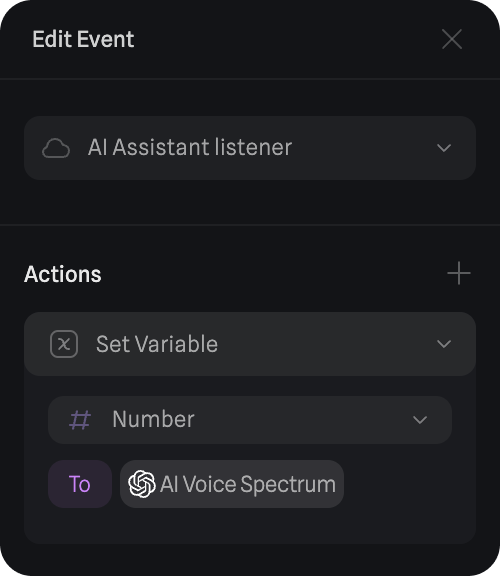
To achieve this, you can use the [AI Assistant Listener Event](/interaction-states-events-and-actions/events/ai-assistant-listener-event), an event that continuously listens for changes in the audio spectrum. When the audio spectrum changes, it updates your variable accordingly.
*Note: All written instructions (Instructions, Personality and Trigger descriptions) support non-English languages. You can also speak with the AI in different languages and will respond in the same language. Only languages supported by OpenAI.*
## AI Voice Spectrum Variable
The AI Voice Assistant API also includes a voice spectrum variable, which in simple terms means the sound of the voice. This value can be linked to other variables and consequently to object properties to manipulate 3D objects in your scene.
To achieve this, you can use the [AI Assistant Listener Event](/interaction-states-events-and-actions/events/ai-assistant-listener-event), an event that continuously listens for changes in the audio spectrum. When the audio spectrum changes, it updates your variable accordingly.
 ### Pairing Voice Spectrum with Morph Targets
When importing an object with [Morph Targets Support](/importing-content/morph-targets), you can assign variables to each target and use the voice spectrum to influence their values. This allows you to simulate effects like characters speaking and other dynamic deformations.
Learn more about related topics:
* [AI Assistant Trigger Event](/interaction-states-events-and-actions/events/ai-assistant-trigger-event)
* [AI Assistant Listener Event](/interaction-states-events-and-actions/events/ai-assistant-listener-event)
* [Variables](/interaction-states-events-and-actions/variables)
### Pairing Voice Spectrum with Morph Targets
When importing an object with [Morph Targets Support](/importing-content/morph-targets), you can assign variables to each target and use the voice spectrum to influence their values. This allows you to simulate effects like characters speaking and other dynamic deformations.
Learn more about related topics:
* [AI Assistant Trigger Event](/interaction-states-events-and-actions/events/ai-assistant-trigger-event)
* [AI Assistant Listener Event](/interaction-states-events-and-actions/events/ai-assistant-listener-event)
* [Variables](/interaction-states-events-and-actions/variables)