
Spline Arena
Spline Arena is a public leaderboard for how well AI models build in 3D. Two models get the same prompt and each builds a scene in Spline. You look at both, vote for the better one, and every vote moves the Rankings.
Voting needs a free Spline account, on any plan. Reaching the day's vote goal lets you claim free AI credits.
Where to find it
- Dashboard: choose Spline Arena in the sidebar.
- New tab: choose the Spline Arena card.
- Desktop app: Spline Arena opens in its own tab, so your other tabs stay where they are.
- Browser: go to app.spline.design/arena.
The arena has two views, switched at the top: Vote and Rankings. For an overview without signing in, see spline.design/arena.
Voting
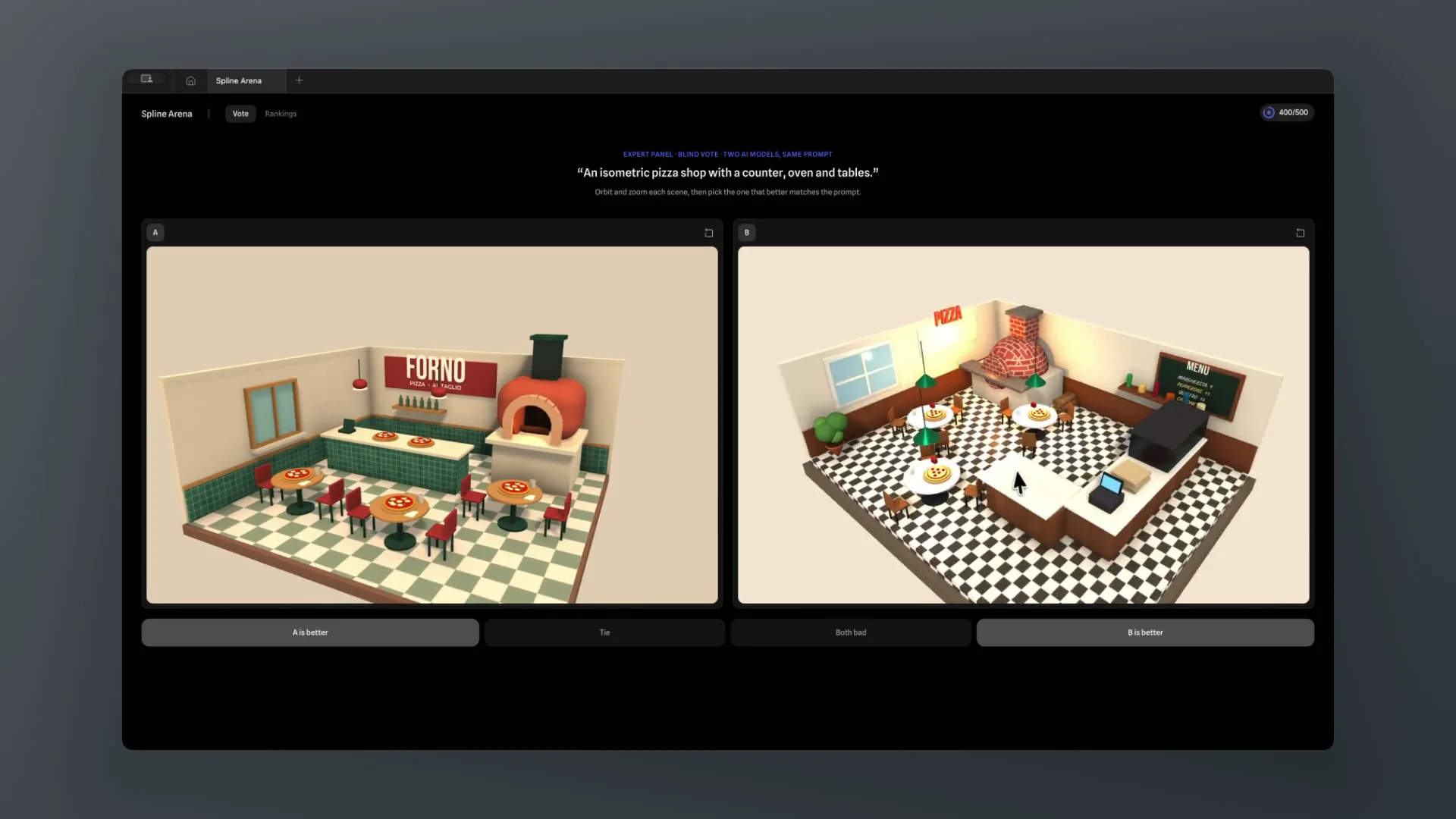
Each battle shows a prompt at the top and two finished scenes under it, A and B. Both were built from that prompt by different AI models.
- Read the prompt. Judge each scene by how well it matches it.
- Explore both scenes. Drag to orbit, scroll to zoom and right-drag to pan. The details often decide it. Many scenes are interactive, so try clicking what the prompt says you can click.
- Vote with one of the four buttons:
- A is better or B is better: one scene matches the prompt better.
- Tie: both are about as good.
- Both bad: neither matches the prompt.
The models stay anonymous, so a model's name never sways your pick. Your vote is recorded and the next battle loads straight away. To see how the models compare, open Rankings.
Rankings
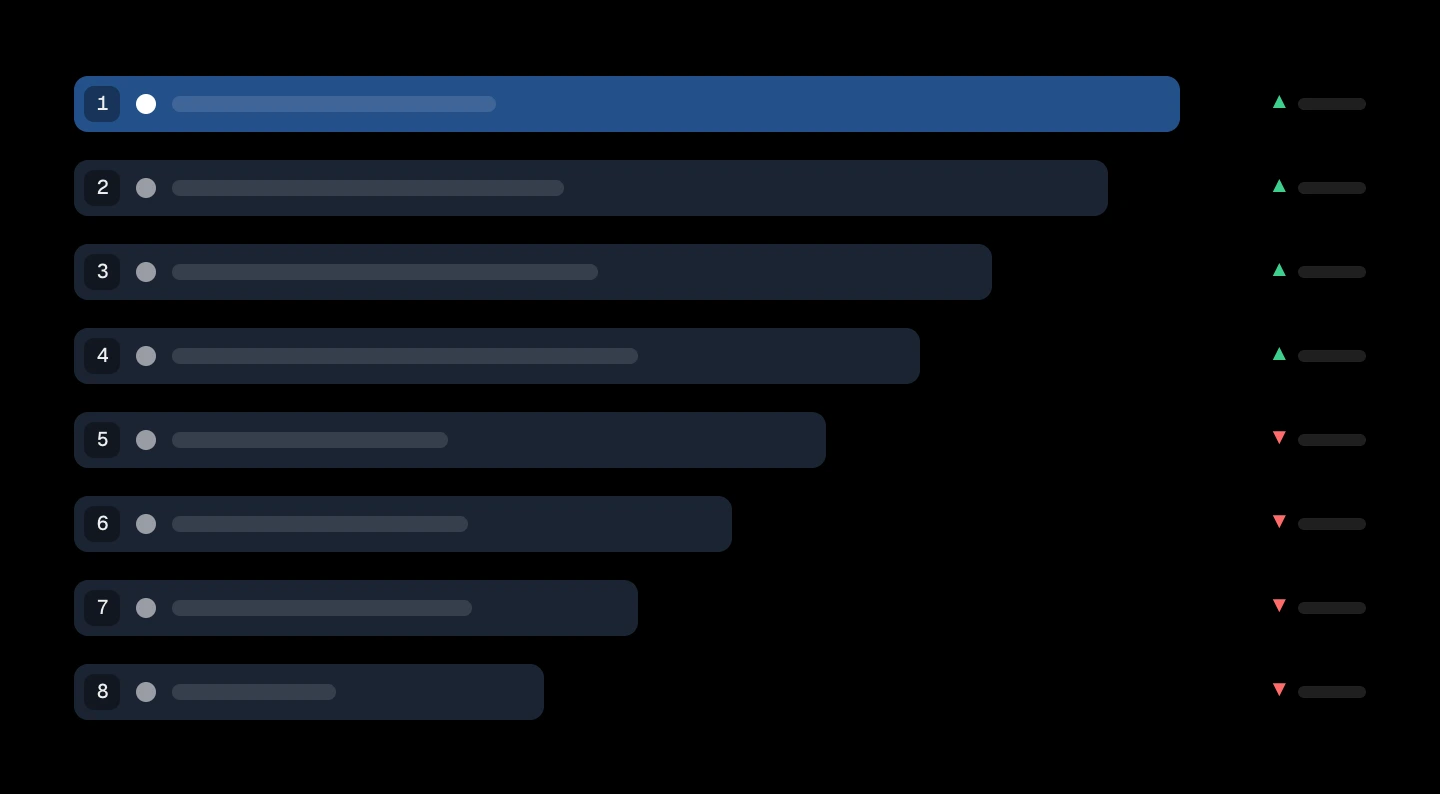
Rankings lists every model competing, from Anthropic, OpenAI, Google, xAI and others, ranked by every vote cast so far. The lineup changes as new models ship.
- The score is how much more often a model wins a blind battle than the average model would, against the same field. A score of 7% means it wins 57% of the time where an average model wins 50%. Green is above average, red is below, and near zero is about average.
- The bars show each model's win rate. The dashed line is the average model's 50%, so a bar past it is above average.
- Ties and "both bad" count as half a win for each side.
- Confidence intervals: scores come from a Bradley–Terry model fitted to every head-to-head vote, and bootstrapping gives each one a range. When two models' ranges overlap, the call between them is close.
Below the list, a chart plots each model's score against its average cost per scene (on a log scale), so you can see which models give the best results for what they cost.
Daily vote reward
The ring in the arena's header counts your votes toward the day's goal. Once you reach it:
- Click the ring to open the reward.
- Click Claim AI credits.
Claim them before the day resets. The reward shows the time in your time zone. Sometimes the day's votes are reviewed before the credits are added; the reward tells you when that's the case. Then come back the next day for more.
Credits you claim land in your account's AI credits. See AI credits for what they're used for.
Your votes
Your votes feed the public Rankings and count toward your daily reward. They may also be shared, de-identified, with AI research partners, to help models get better at building 3D.