
Command Palette & Keyboard Shortcuts in Hana
On Windows, use Ctrl wherever this page says ⌘, and Alt for ⌥.
Command palette (⌘K)
Press ⌘K (or ⌘/) to open the command palette, called Quick Actions. Start typing to search every command in the editor — tools, menu items and view options — and press Enter to run one. Each command shows its shortcut, so the palette is also a quick way to learn them.
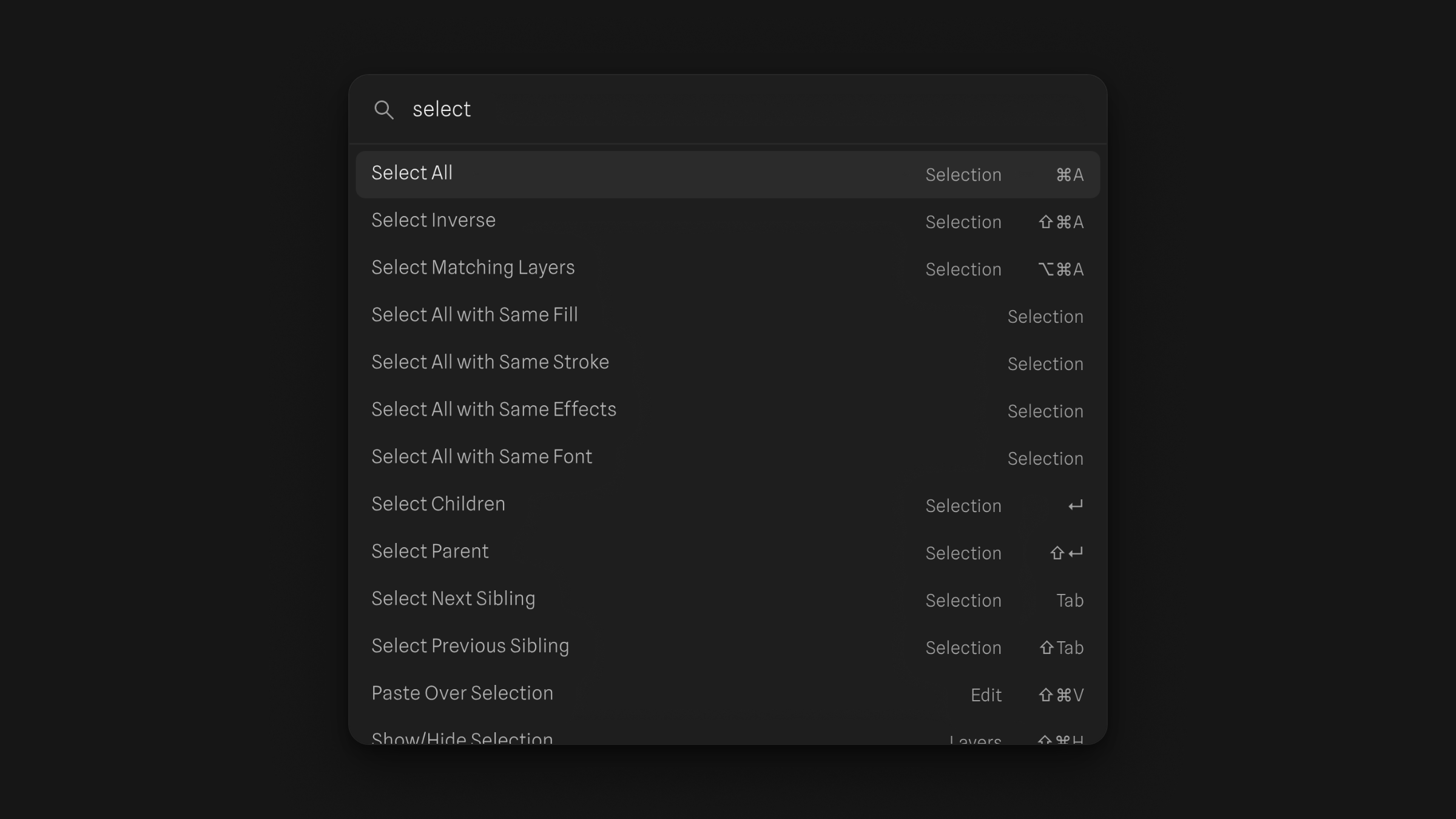
Ask Agent… is in the palette too: it opens the AI Agent with the prompt ready to type.
Keyboard Shortcuts panel (⌃⇧?)
Press ⌃⇧? (Ctrl+Shift+? on Windows) to open the Keyboard Shortcuts panel. It lists every shortcut by section and keeps track of the ones you've already used, so you can see what's left to learn.
Tools
| Tool | Shortcut |
|---|---|
| Move | V |
| Hand | H |
| Frame | F |
| Section | S |
| Rectangle | R |
| Ellipse | O |
| Line | L |
| Arrow | ⇧L |
| Pen | P |
| Text | T |
| Width | ⇧W |
| Scale | K |
| Comment | C |
| Place Image… | ⇧⌘K |
Selection
| Command | Shortcut |
|---|---|
| Select All (the siblings of the current selection) | ⌘A |
| Select Inverse | ⇧⌘A |
| Select Matching Layers | ⌥⌘A |
| Select Children | Enter |
| Select Parent | ⇧Enter |
| Select Next / Previous Sibling | Tab / ⇧Tab |
| Deselect All | Esc |
Select Matching Layers selects every layer on the current page that looks like one you have selected: the same kind of layer, with the same fill, stroke, effects, font, opacity, blend mode and size. Its name, content and position don't matter. Locked layers are skipped.
Select All with Same Fill, Same Stroke, Same Effects and Same Font are in the command palette. Each compares only that one property, on the current page, and skips locked layers:
- Same Fill and Same Stroke match layers whose first fill or stroke is identical, paint and settings included.
- Same Effects matches layers with the same list of effects and the same settings.
- Same Font matches text layers with the same font, size, line height, letter spacing and text case.
Layers with no fill, stroke, effects or text never match. Use these to restyle every instance of a color or a type style at once.
When the selection has several layers, or a layer with children, the Selection colors group in the properties panel lists every solid fill and stroke color in it, so you can change a color everywhere it's used at once.
Clipboard
| Command | Shortcut |
|---|---|
| Paste Over Selection | ⇧⌘V |
| Paste to Replace | ⇧⌘R |
| Copy Properties / Paste Properties | ⌥⌘C / ⌥⌘V |
| Copy as PNG | ⇧⌘C |
- Paste Over Selection pastes a copy of what you copied onto each selected layer: centered on it, in the same parent, just above it in the layer list.
- Paste to Replace puts a copy where each selected layer was, at its top-left corner and in its place in an auto layout, then deletes the selected layer.
With nothing selected, Paste Over Selection works like a normal paste.
Copy as SVG, Copy as CSS and Copy as HTML are in the command palette. Each puts text on the clipboard, ready to paste into code:
- Copy as SVG: the selected layers as one SVG, sized to the selection's bounds.
- Copy as CSS: the CSS declarations for each selected layer's own box, one per line, such as its size, background, border, corner radius and shadows. Its children aren't included. Images appear as
url(image.png), a placeholder to swap for your file. With several layers selected, each layer's block starts with a comment naming it. - Copy as HTML: each selected layer and its children as HTML, with a stylesheet, and its images embedded. It's a snippet to paste into a page, not a full HTML document.
Layers
| Command | Shortcut |
|---|---|
| Duplicate (repeats the offset of your last duplicate) | ⌘D |
| Rename | ⌘R |
| Bring Forward / Send Backward | ⌘] / ⌘[ |
| Bring to Front / Send to Back | ] / [ |
| Show/Hide Selection | ⇧⌘H |
| Lock/Unlock Selection | ⇧⌘L |
| Group / Ungroup | ⌘G / ⇧⌘G |
| Frame Selection | ⌥⌘G |
| Add Auto Layout / Remove Auto Layout | ⇧A / ⌥⇧A |
| Flatten | ⌘E |
| Outline Stroke | ⌥⌘O |
Duplicate a layer with ⌘D, move the copy, then press ⌘D again: each new copy lands at the same offset, so a row of evenly spaced copies takes a few key presses.
Related: Find and replace in Hana, Outline mode and pixel preview in Hana, Vector tools in Hana