Basics
Outline Mode & Pixel Preview in Hana
On Windows, use Ctrl wherever this page says ⌘.
Outline mode (⌘Y)
Press ⌘Y (or ⇧O) to draw every layer as a thin outline. It makes it easy to find layers that are hidden under something else, or too small or faint to see. Press it again to go back to the normal view.
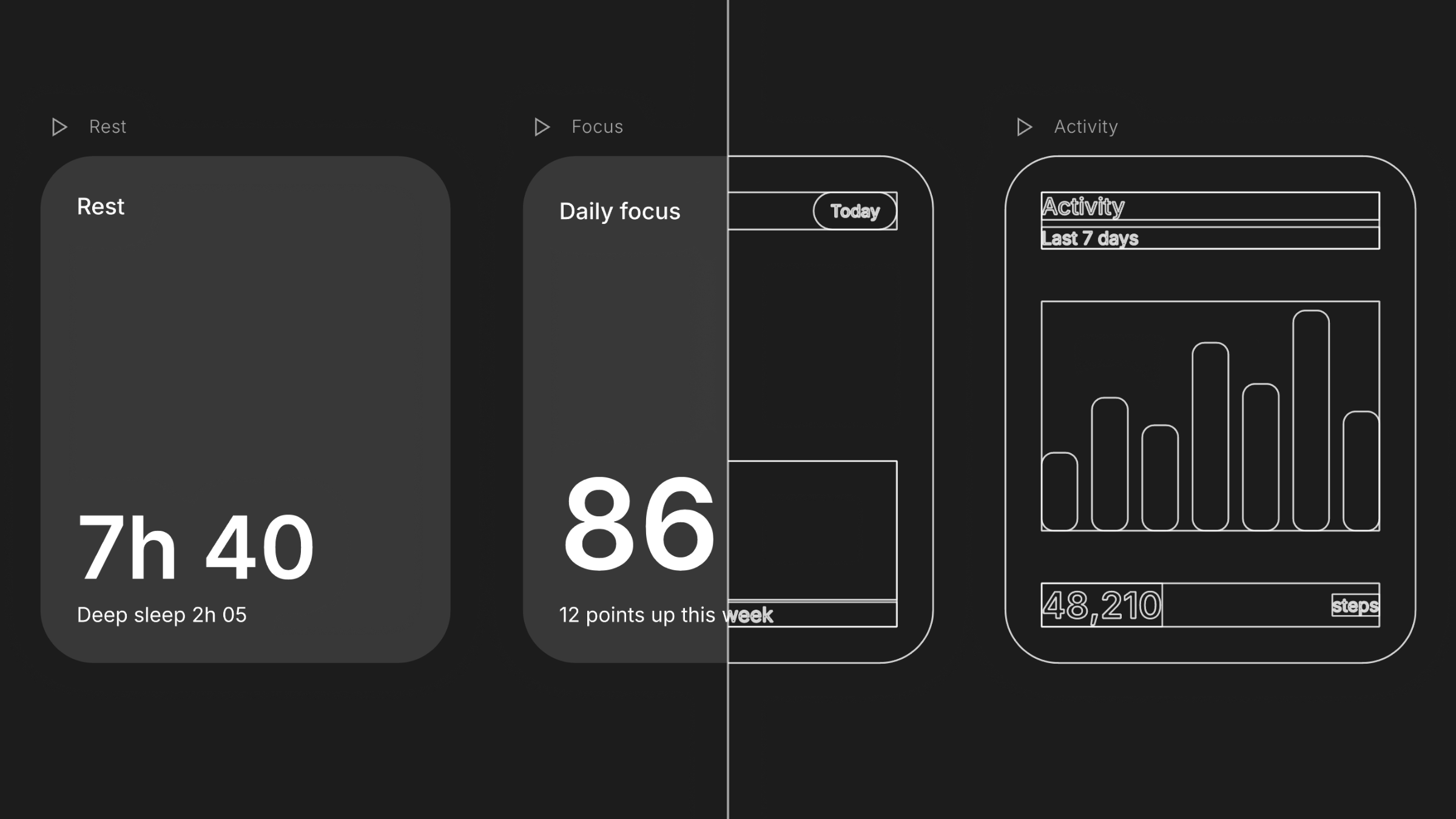
You can also turn it on with Show Outlines in the command palette, or Outlines in the zoom menu.
Pixel preview
Pixel preview shows the canvas in real pixels, so you can check how edges, thin lines and small text will look once exported. Choose Pixel Preview 1x or Pixel Preview 2x in the zoom menu or the command palette; choose it again to turn it off.
Moving around the canvas
| Command | Shortcut |
|---|---|
| Hand tool | H |
| Zoom In / Zoom Out | ⌘+ / ⌘− |
| Zoom to 100% | ⇧0 |
| Zoom to Fit | ⇧1 |
| Zoom to Selection | ⇧2 |