

Actions
API Request Action
The API Request Action can be triggered based on specific events, such as the start of a scene, a mouse click, or any other custom event. It will send a request to the API to retrieve the latest data.
Creating a new API Request Action
- Select the object that you want to add the event to.
- On the Events panel, add an event that can trigger an API request like Start, Mouse Down / Up / Press, Key Down / Up / Press, etc.
- Open the Event and add an API Request Action.
- Expand the API Request Action and from the drop-down list select the API you would like to request the data from.
Eg. Mouse Down Event on an object to trigger a refresh on the Weather API data.
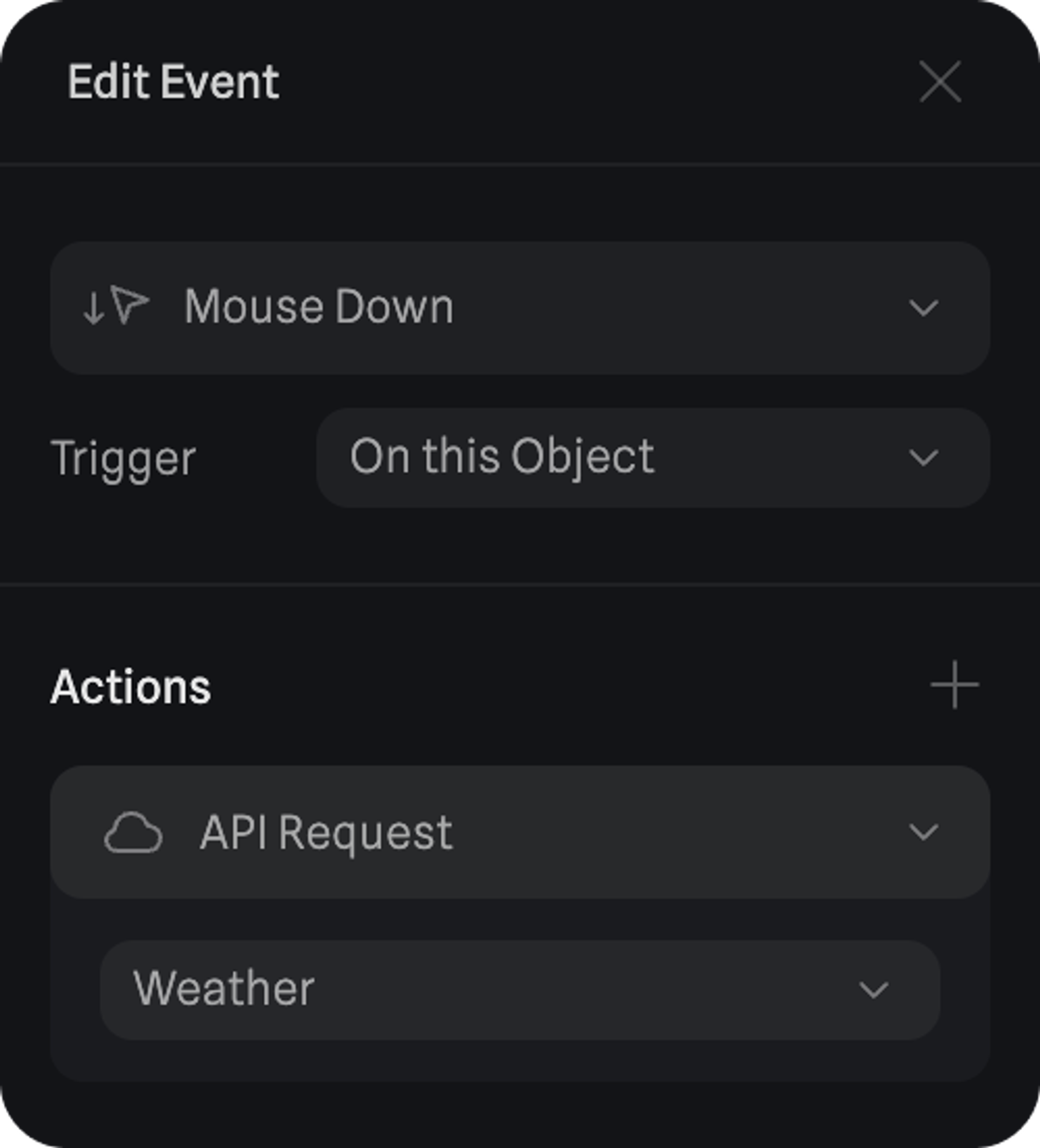
After setting up an API Request you can set up an API Updated Event, which will check for new API updates and trigger a set of actions once the API update is complete. For example, to update the variables where you’re storing the API data.
Relevant docs related to API Updated Event: