

Publishing & ExportFiles
Exporting as Video
Video export allows you to capture your scene as a high-quality video file directly from Spline.
Instead of relying on recording the screen, it renders defined animations for maximum precision, ensuring consistent transition timing and smooth playback. This method also makes it easier to create seamless, perfectly looping animations while maintaining the visual quality and resolution of your project.
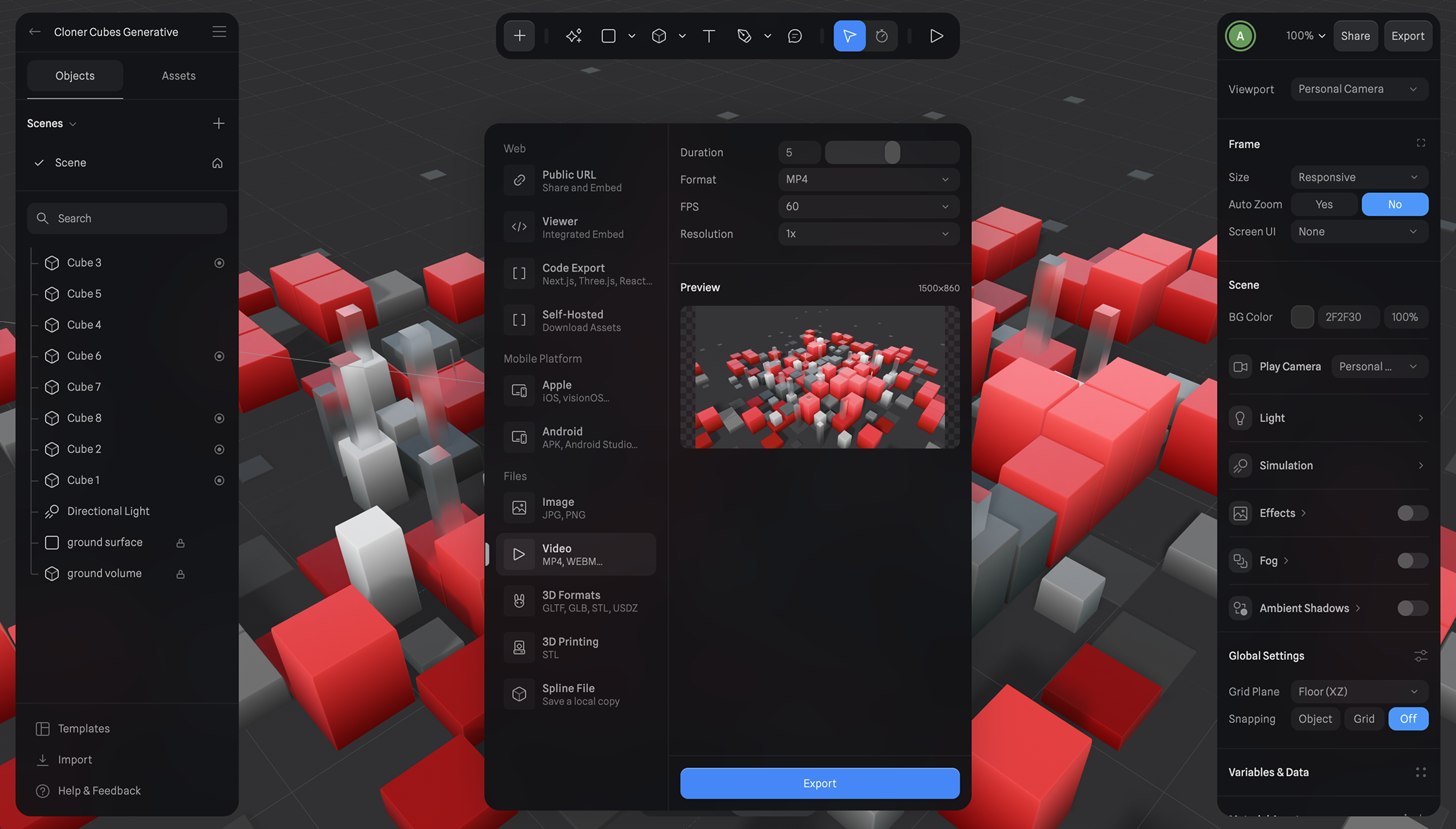
- Once you're happy with your scene and animation setup, press the Export button on the toolbar.
- Under Files category from the export sidebar, select "Video" export
- Set the duration of the animation in seconds, select a desired FPS, and the resolution you want to export.
- Click on the Export button.
- After your video is processed, it’ll save to your downloads, or you'll be prompted to save it.