Events
Follow Event
The Follow Event is used to create interactions where objects will follow either the cursor or another object.
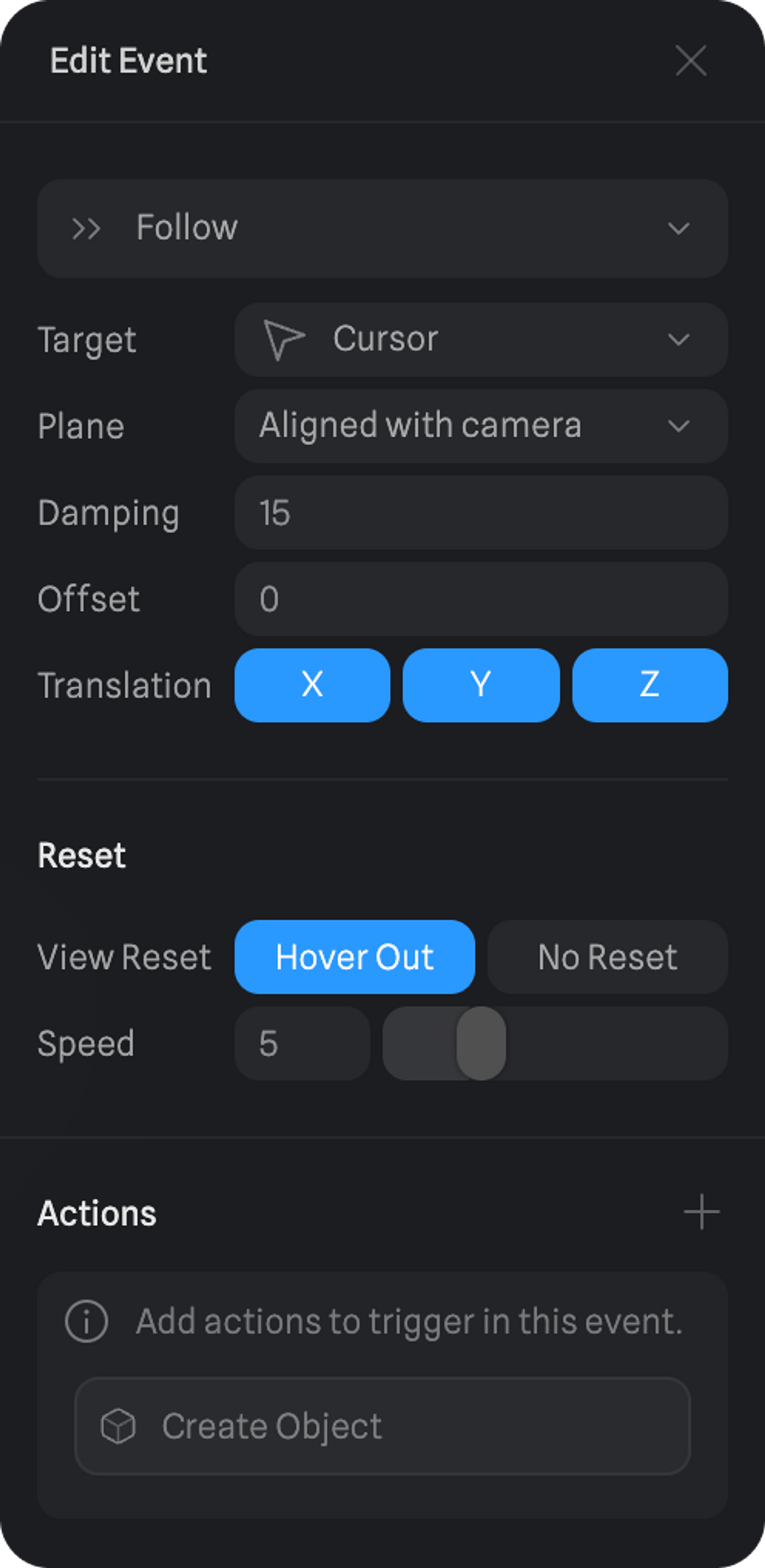
Here are the different properties of a Follow Event.
- Target - What the object will follow, either the cursor or another object.
- Plane - To what plane should the object movement be restricted to.
- Damping - Makes the follow effect lag behind whatever it is tracking.
- Offset - a distance offset from the cursor to the object that is following it.
- Translation - on what axis will the following object move.
- View Reset - If the object should reset back to its original position or not when the mouse is out of the canvas.
- Speed - The speed of the reset to the original position, if hover out is selected.
- Create Object Action - while the following object is moving you can trigger a create object action.
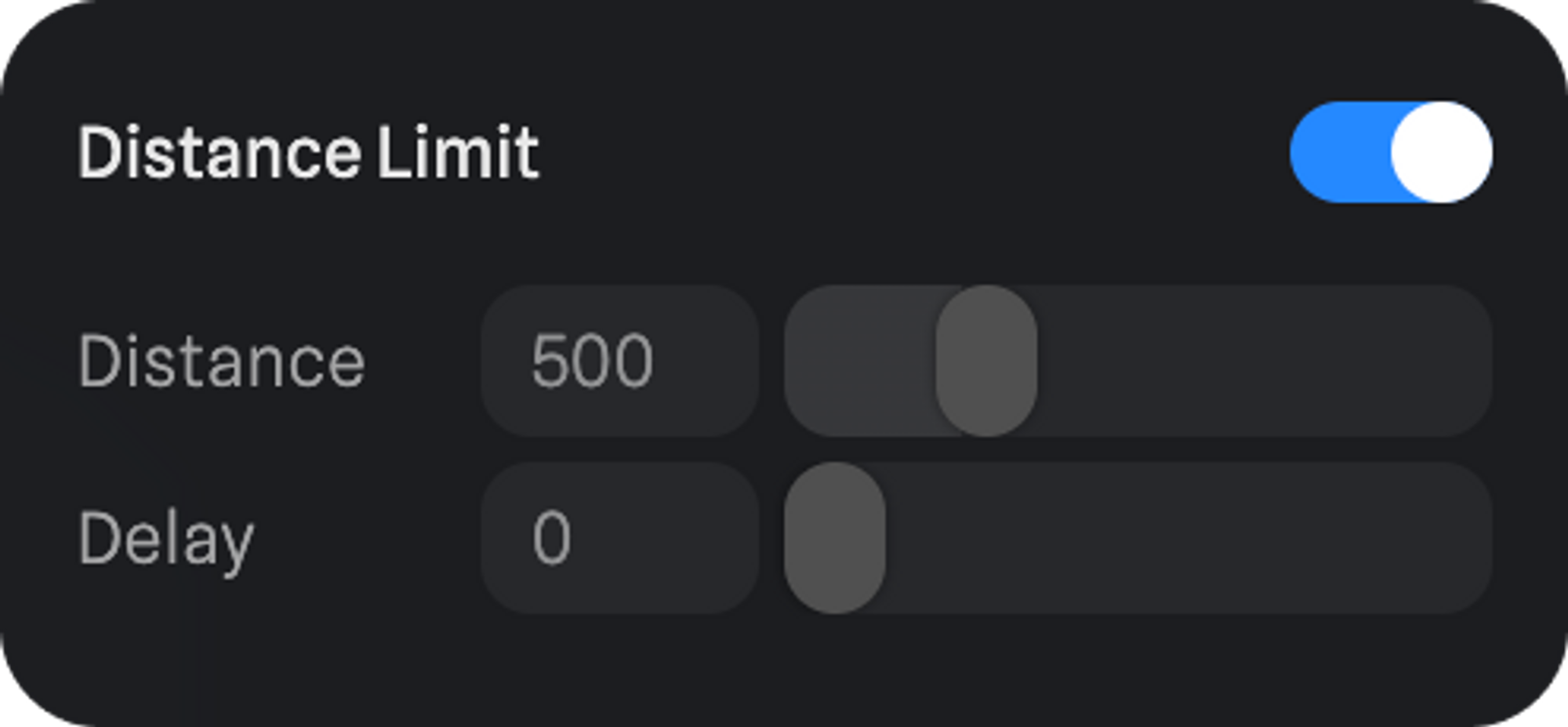
If following another object there are also the Distance Limit properties.
- Distance - The distance of where the follow event will work in, past that distance the object will stop following.
- Delay - the amount of time before the object starts following the other if within the defined distance.
Use your mouse to interact! 👆 The Follow Event can make objects follow either the cursor or another object.