

What is Spline?
Spline is a web-based design tool for creating interactive 3D and 2D experiences — and shipping them to the web, iOS and Android without writing code.
It runs in the browser, works in real time (there is nothing to render and wait for), and is multiplayer from the ground up: your files live in the cloud and several people can edit the same one at once. What you make isn't a picture of a design — it's the real, interactive thing, ready to embed.
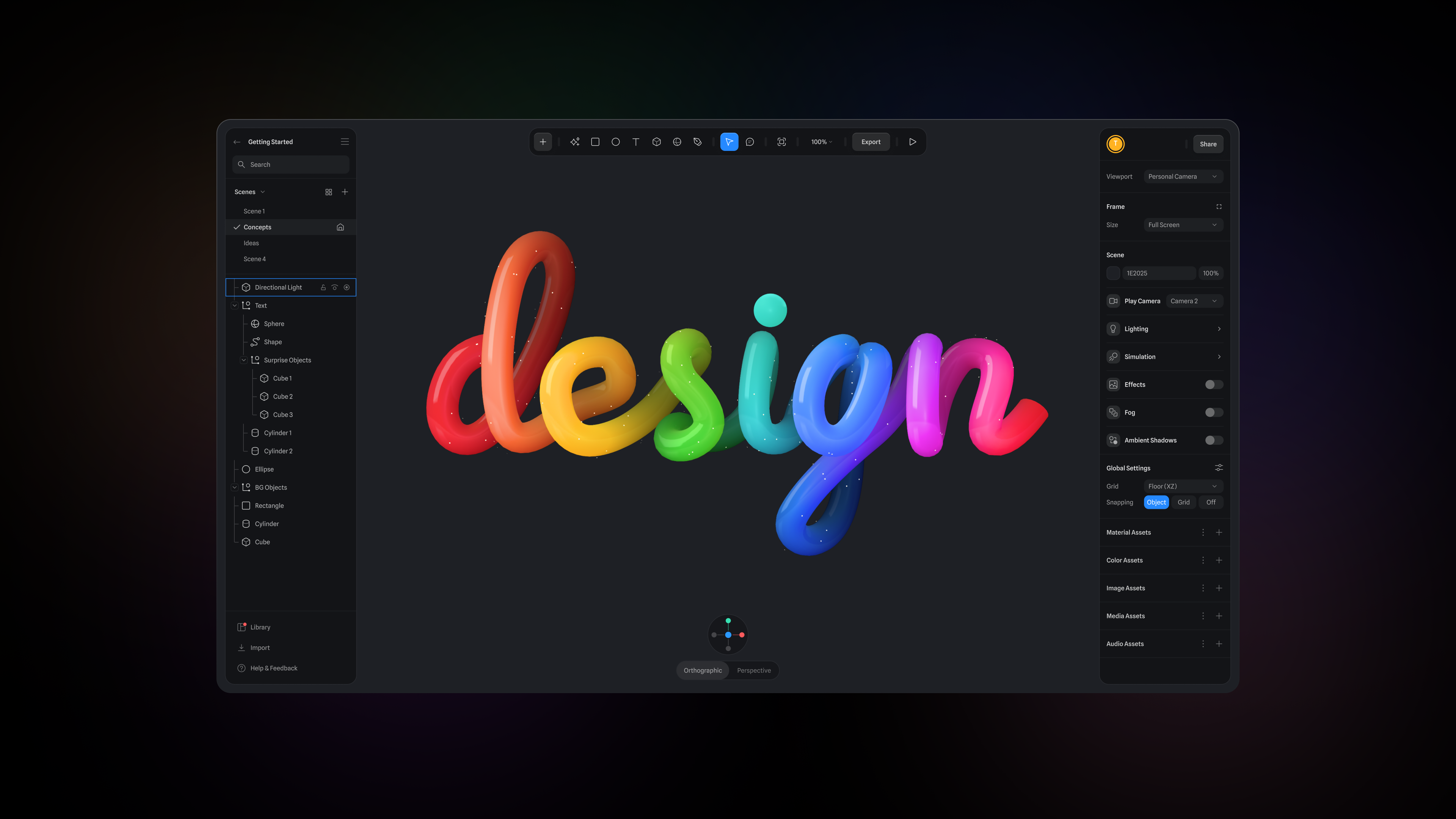
Two editors, one product
Spline is two editors that share the same interactivity model, the same real-time collaboration, and the same publishing pipeline. You can use either on its own, or move between them.
The 3D editor
Modeling and sculpting, a layer-based material system, lights and cameras, timeline and state animation, particles, physics and Gaussian splatting.
Hana
A 2D canvas for interfaces and animated graphics — vector networks, effects, typography, and real 3D shapes lifted straight out of flat vectors.
Build with AI
Both editors have an AI agent that works the editor the way you do. Every edit it makes is a normal editor edit: it lands in your undo history, it syncs to collaborators, and you can take over at any point. Nothing it produces is locked or flattened.
- AI Agent — describe what you want and the 3D editor builds it: objects, materials, lighting, animation, interactivity.
- AI Agent in Hana — describe a screen and Hana designs it, then edit it by hand.
- AI 3D Generation — turn a prompt or an image into a 3D model.
- AI Textures — generate textures from a text prompt.
- Spline MCP Server — drive Spline from Claude, Cursor, Codex and other MCP clients, straight into your open editor tab.
Every AI feature draws on one pool of monthly AI credits included with each paid plan — see AI credits.
Interactivity, with or without code
Most interactivity in Spline needs no code at all. It's built from states, events and actions: give an object a second state, pick what triggers it, and Spline animates between them. Events cover mouse and keyboard input, scroll, collisions, distance, drag and drop, game controls and more.
For anything data-driven, variables connect your scene to real values, and API requests, webhooks and real-time endpoints let a scene react to live data or external services.
When you do want code, a file can carry its own HTML document — markup, CSS
and JavaScript layered over the 3D canvas, written in the
Code tab next to
Preview and Edit. An injected spline API lets that code read
and write variables, move and create objects, read mesh geometry and supply
custom three.js materials, so animation loops, game logic and web UI can sit
right alongside the no-code event system. It saves with the file, undoes like any
other edit, syncs to collaborators, and ships with public URLs, viewer embeds and
code exports.
Once a scene is published, the Code API works from the other direction: your own site drives the scene with JavaScript, listening for events and controlling objects from outside.
How state-based animation works, Events & Interactivity, Variables, Real-time API, Webhooks, Code Tab, Code API for Web
Publish anywhere
What you build is production-ready, and the same scene can ship to several places:
- Web — a public URL, an embeddable viewer, or a code export (including React) with a JavaScript API for controlling objects and listening to events.
- Apple platforms — native 3D embeds with SwiftUI, generated Xcode projects, and spatial experiences for visionOS (previewable with Spline Mirror).
- Android — native 3D embeds with Kotlin, plus APK and AAB builds.
- Files — glTF/GLB, USDZ, STL, images, image sequences and video.
Hana frames export the same way, as a public URL or embed code.
Exporting as Public URLs, Exporting as Code, Native 3D Embeds for iOS, Native 3D Embeds for Android, Exporting in Hana
Spline also drops into the tools you already use — Webflow, Framer, Figma, Wix, Shopify, Notion and others. See Integrations.
Collaborate in real time
Invite people as editors or viewers, by link or by email, and work in the same file at once with everything auto-saved. Leave comments directly on a scene, organize work into workspaces and projects, and browse saved versions of a file.
Real-time Collaboration in 3D, File Sharing, Comments & Feedback, Workspaces, Version History
Stay organized as you scale
Components let you reuse an object across a scene and update every instance from one place; multi-scenes hold several 3D spaces in one file, with transitions between them; team libraries share components, materials, colors, images and audio across a whole team. On the dashboard, folders and image previews keep files findable.
Components, Multi-Scenes, Team Libraries, Files View
Materials as layers
Materials in the 3D editor are built as a vertical stack of layers — color, gradients, images, noise, glass, reflection, outlines, displacement and more — much closer to a graphic design tool than to a traditional 3D shader graph. Add, reorder, mask and blend layers to get the look you want.
Creating Material Layers, Layer Masking, Material Library
Assets, community and desktop
A built-in library of 3D models and scenes is available from the editor, all cleared for commercial use, alongside material and sound libraries. The Community platform is where designers publish, remix and comment on each other's work. And Spline for Desktop adds tabs, system fonts and MCP support on macOS and Windows.
Spline's interface uses its own open-source typeface, Spline Sans, available on Google Fonts.
Next steps
How is Spline different?
How Spline compares to traditional 3D tools like Blender and Maya.
Create your first scene
Add objects, set up a material, and publish the result.
Understanding the interface
A tour of the dashboard and the editor.
Plans and pricing
What each plan includes, and how AI credits are metered.